
01 · FOCUS
Model the funnel instead of one page
Use different traffic weights for landing, browse, search, product detail, cart, and checkout. A flash sale may push far more users into the same product and transaction path than an ordinary day.
Ecommerce load is a funnel, not one endpoint. Shoppers browse cached pages, search dynamic catalogs, read inventory, add to carts, authenticate, calculate shipping, apply promotions, and submit orders. During a sale or product drop, the mix can shift suddenly. Performance testing should follow the revenue path and find which dependency limits completed purchases first.
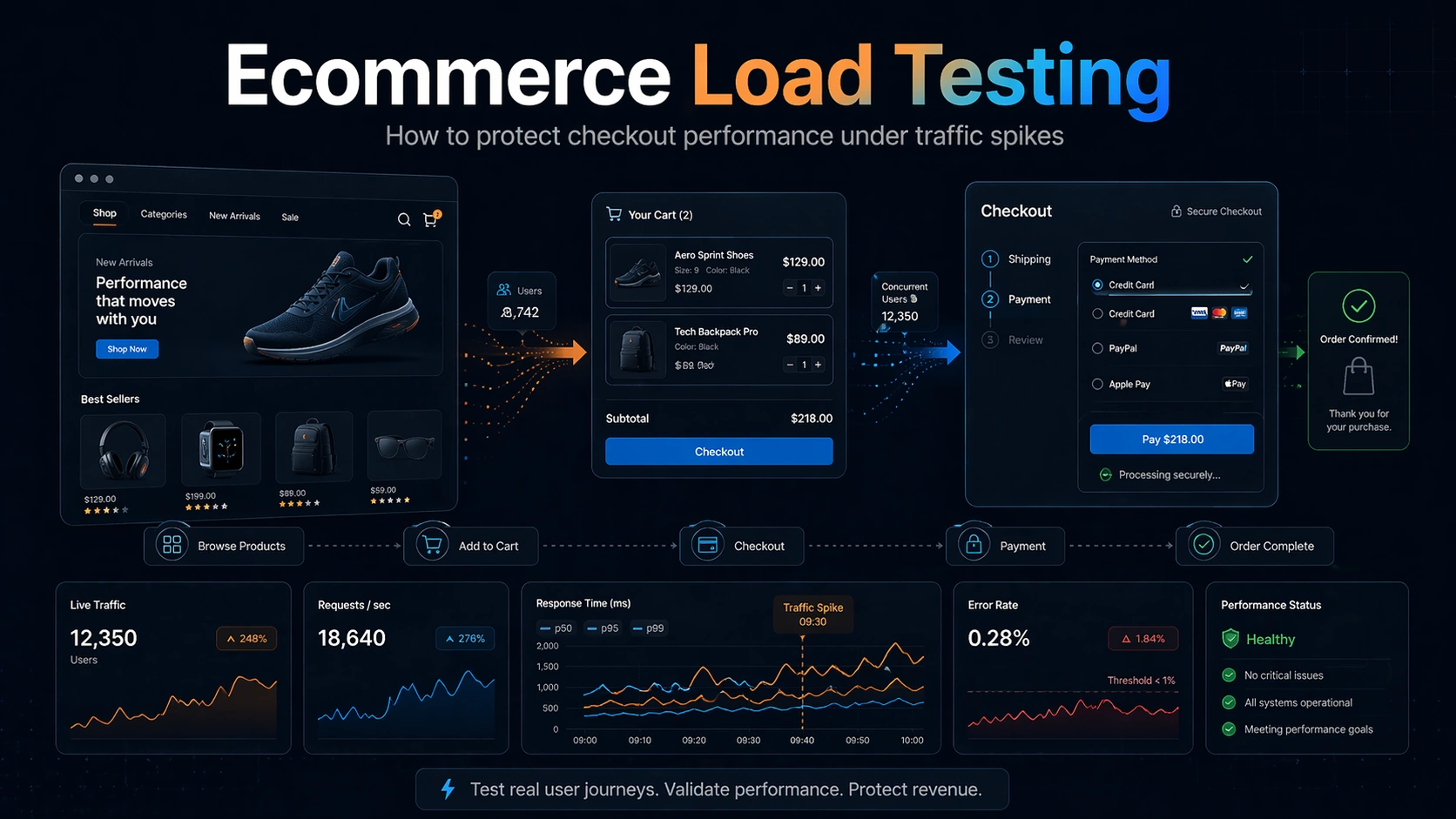
Storefronts often have a cheap, cacheable top of funnel and a much more expensive transactional bottom. A useful test gives each stage realistic weight, protects payment and inventory integrations, and tracks whether customers can still buy—not only whether servers return responses.
Use different traffic weights for landing, browse, search, product detail, cart, and checkout. A flash sale may push far more users into the same product and transaction path than an ordinary day.
Repeated purchase attempts can mutate stock and reservations. Use test products, isolated inventory, idempotency controls, or safe lower-environment integrations so performance traffic does not corrupt real availability.
Coupons, personalized pricing, tax, shipping, and promotion engines can add database or service calls that a simple product-page benchmark never exercises.
Payments, fraud, tax, shipping, and recommendation APIs may impose limits or charge per request. Stub or sandbox them for internal capacity work, then run bounded integration checks for end-to-end behavior.
HTTP 200 is insufficient if cart creation, inventory reservation, or order submission failed inside the payload. Add response expectations and monitor business-side counters when possible.
Black Friday, a product drop, or an influencer campaign can create more synchronized behavior than normal analytics. Use both sustained peak and spike profiles to cover capacity and adaptation speed.
Start with the revenue-critical funnel and decide which integrations can safely be exercised. The scenario should expose shared dependencies without creating uncontrolled transactional side effects.
Identify the HTTP calls behind browse, search, cart, authentication, shipping, promotions, and order submission.
Use dedicated products, accounts, inventory, and payment sandboxes so write-heavy traffic remains controlled.
Set traffic proportions that match the expected sale or campaign rather than a normal-day average.
Validate sustainable demand, then test the traffic jump that occurs when the event opens.
Review latency and errors alongside cart, checkout, inventory, and order-success signals.
Ecommerce traffic is heterogeneous and stateful. Browsing can be cache-heavy, search can be computationally expensive, cart operations mutate session state, and checkout touches inventory, tax, payment, and order systems. A useful test preserves those differences so peak-readiness conclusions reflect actual shopping behavior.
Build traffic as a funnel: category or landing views, product detail views, search, cart additions, cart updates, checkout initiation, and completed purchases. The majority of users may browse while a smaller percentage create the write-heavy work that stresses databases and downstream providers. Use realistic product popularity so some items are hot and others are long-tail. If inventory availability affects behavior, vary stock states and avoid using a single SKU for every virtual shopper. Include guest and authenticated flows if both are important. Measure throughput and latency at each funnel stage rather than only site-wide averages. A search regression can be severe even when cached product pages keep aggregate latency low. Likewise, a checkout bottleneck may affect only a small fraction of requests but have the largest revenue impact. A funnel-shaped workload gives the result business meaning because it connects backend pressure to the customer actions that generate revenue.
Performance is not sufficient if concurrent requests oversell inventory, create duplicate orders, lose cart state, or apply inconsistent pricing. Load-test the state transitions that must remain correct. When many users compete for limited stock, verify reservation or decrement semantics and the response returned to users who lose the race. Use idempotency behavior for checkout and order creation so retries do not create duplicates. If carts are stored in a session service or database, check that simultaneous updates remain coherent. Sample created orders and inventory after the run to confirm the number of successful responses matches persisted business outcomes. Contention around hot SKUs can reveal locks or transactions that do not appear during a broad catalog test. An ecommerce performance test should therefore combine latency assertions with correctness checks on the limited resources customers are competing to buy.
Tax, shipping, fraud, search, recommendations, payment, and marketing integrations can all sit on the critical path. Decide which should be real, sandboxed, stubbed, or rate-limited for the test. Real providers may impose test-environment quotas that are much lower than production, while simplistic mocks can hide latency and failure behavior. Preserve realistic response-time distributions and error modes for dependencies you cannot call at volume. Track time spent in each integration so a slow provider is not misdiagnosed as an application bottleneck. For payment flows, use the provider's approved test mechanisms and avoid generating uncontrolled external traffic. Validate timeout and fallback behavior when an optional service such as recommendations slows. The ecommerce platform should protect checkout and core browsing from nonessential dependencies whenever the product design allows it. Load testing is a good place to verify that prioritization under pressure.
Set stricter objectives for the interactions closest to revenue. A product image or recommendation widget may tolerate different latency than add-to-cart, inventory confirmation, or order submission. Track p95 and p99 for those critical operations along with error rates and business success counts. Use the results to define a peak operating ceiling and a degraded-mode plan. For example, the site may disable expensive recommendations, reduce search features, extend caches, or slow campaign traffic before checkout is endangered. After performance work, compare completed orders per minute within the same latency/error envelope rather than celebrating raw request throughput. That metric makes improvements legible to both engineering and ecommerce teams. Retain a representative peak scenario for major catalog changes, platform migrations, promotions, and seasonal events so the business does not rediscover the same capacity boundary during its most valuable traffic window.
Ecommerce tests need funnel and correctness evidence together; aggregate request throughput cannot prove that carts, inventory, and orders remain healthy under peak shopping traffic.
Record browse, search, product detail, add-to-cart, checkout start, and completed-order rates independently. Include p95/p99 and errors for each stage. This makes it possible to see whether revenue-critical traffic is degrading even when the much larger volume of cache-friendly browsing remains healthy.
After the run, compare successful checkout responses with persisted orders, inventory changes, and other expected state. Sample duplicate prevention and failed reservations. Ecommerce capacity should be based on correct transactions, not only fast responses, because oversells or duplicate orders are more damaging than a visibly failed request.
Keep timings or traces for tax, shipping, fraud, payment, search, and other important integrations. Mark which were real, sandboxed, or simulated. This prevents a test-environment provider limit from being mistaken for platform capacity and prevents an unrealistically fast mock from hiding a production dependency risk.
Base readiness on successful business throughput such as correct orders per minute while browsing remains active and latency stays inside budget. If a dependency or feature threatens that objective, identify the degraded mode that protects checkout first. Revenue-critical capacity should be expressed in successful transactions, not in generic HTTP requests.
LoadTester can drive HTTP traffic across storefront and backend APIs while the team monitors application, database, cache, and commerce-specific signals. It fits pre-event capacity checks, regression testing after platform changes, and targeted tests of expensive checkout or search paths.
The ecommerce load testing guide goes deeper on storefront architecture, traffic assumptions, checkout safety, third-party dependencies, and metrics to watch before a major sales event.
Read the ecommerce load testing guide →Prioritize paths that combine volume and business impact: product detail, search, cart, authentication, and checkout. Static landing pages are usually less informative unless they contain dynamic personalization or origin-rendered content.
Use sandbox payment providers, dedicated test products and accounts, isolated inventory, or a production-like lower environment. If production checks are necessary, keep them tightly bounded and make test transactions identifiable and reversible.
Often yes. Search and filtering may have a very different storage or indexing cost from cached product reads. An isolated search capacity test can complement the full-funnel scenario.
Both. Capacity determines whether the platform can sustain peak demand after it stabilizes; spike handling determines whether the first wave overwhelms caches, autoscaling, queues, or inventory before steady state is reached.
Model the funnel, protect test data, and rehearse the event before customers do it for you.