
Load Testing in CI/CD
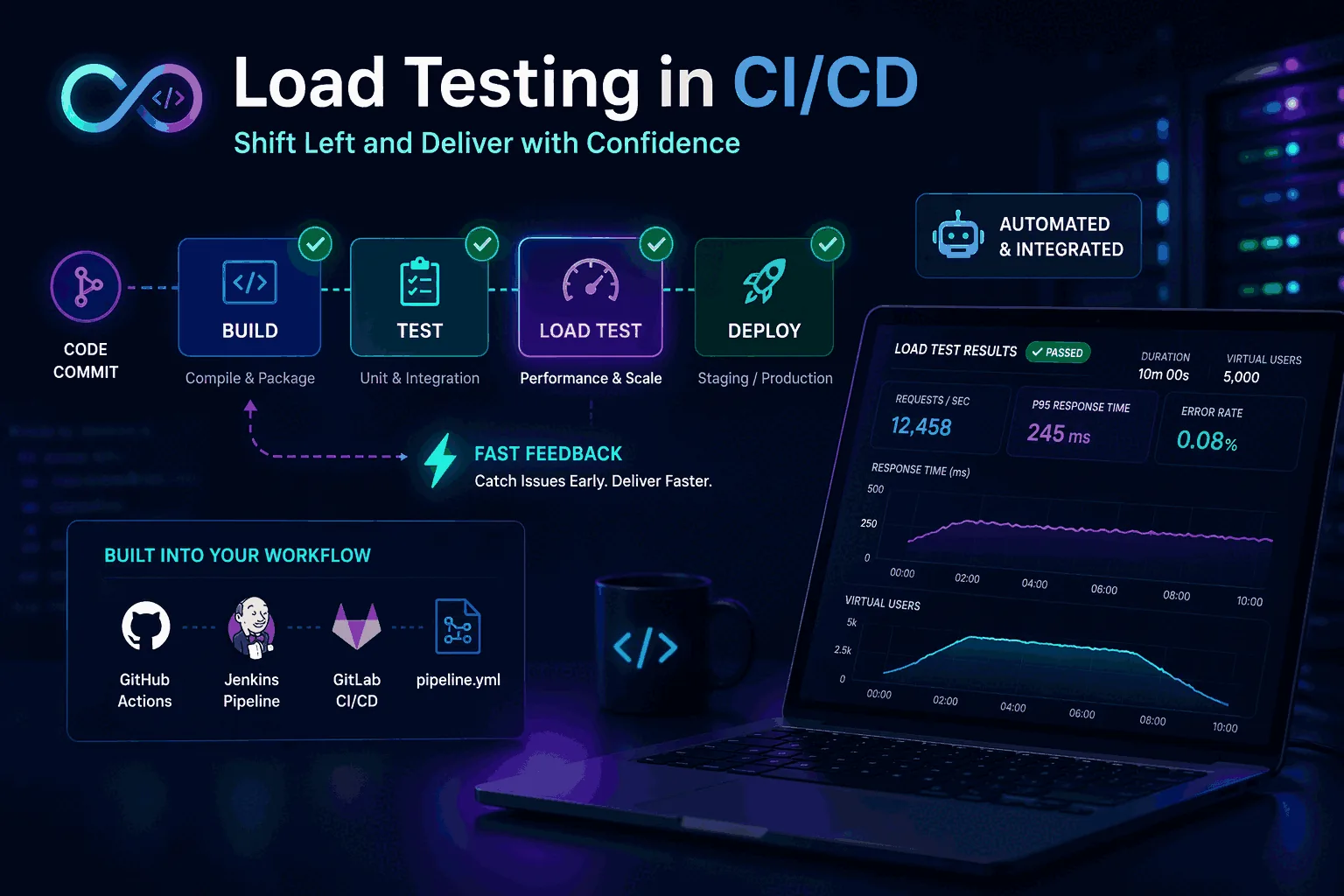
Load testing in CI/CD sounds great in principle. Everyone likes the idea of catching performance regressions before they hit production. The problem is that many teams try to do it the wrong way. They drop a heavyweight benchmark into the pipeline, slow builds down, produce noisy results, annoy developers, and conclude that performance testing does not belong in delivery automation.
That conclusion is wrong. What usually fails is not the goal but the design.
Load testing does belong in CI/CD, but not as one giant all-or-nothing test. It belongs as a layered practice. Small performance smoke checks can run on pull requests. Baseline tests can run on merges, nightly schedules, or staging environments. Larger capacity and stress tests can run less frequently on production-like infrastructure. When these layers are designed well, CI/CD becomes one of the best ways to catch regressions early, track performance trends over time, and keep load testing from becoming a once-a-quarter emergency ritual.
This guide explains how to build a realistic CI/CD load testing practice, how to choose the right tests for the right pipeline stage, how to define thresholds, what to measure, and how to avoid the common mistakes that make teams give up too early. For broader background, also read What Is Load Testing?, Continuous Load Testing, How to Load Test an API, and Load Testing Strategy.
Why load testing should be part of CI/CD
The biggest argument for load testing in CI/CD is simple: performance regressions rarely announce themselves loudly before production. Many of them enter quietly. A new query path adds backend work. An authentication change increases latency at moderate concurrency. A cache key change reduces hit rate. A GraphQL field addition triggers resolver amplification. A library update changes connection behavior. None of these problems may break functional tests. They only become visible when the system is exercised under realistic load.
If you wait until release week to discover them, the cost is higher. The team is under time pressure, the code diff is larger, and it becomes harder to identify the change that caused the regression. CI/CD brings the detection point closer to the change itself, which shortens feedback loops.
It also changes team behavior. When performance checks are part of normal delivery, they stop feeling like exotic specialist work. Developers start expecting latency and error thresholds to matter in the same way functional correctness matters. Over time, this leads to healthier engineering habits and fewer emergency load-testing events.
There is another advantage: trend visibility. Repeated automated runs create a history. That history makes it easier to distinguish normal variance from real degradation and easier to spot slow drift long before customers complain.
The biggest misconception: not every load test belongs in every pipeline
A common beginner mistake is trying to run “the load test” in CI/CD as if there were one correct benchmark for every stage. That usually fails because different pipeline stages answer different questions.
A pull request check should answer: did this change introduce an obvious performance regression on a critical path?
A merge or staging test should answer: does the service still meet baseline expectations under a representative workload?
A scheduled capacity or stress test should answer: where are the limits, how does the system degrade, and what has changed compared with previous runs?
These are not the same question, so they should not use the same test.
The right approach is to create layers. This is the heart of successful CI/CD load testing. Small tests catch fast regressions. Medium tests validate baseline behavior. Large tests explore capacity and edge behavior on a schedule. Once teams understand this, performance automation becomes much easier to implement.
The three layers of CI/CD load testing
A practical CI/CD model has three layers.
1. Performance smoke tests
These are fast, focused checks that run in pull requests or immediately after build stages on important branches. The goal is not to prove capacity. The goal is to catch obvious regressions on critical operations.
A performance smoke test might:
- hit one or two key API endpoints
- use low to moderate concurrency
- run for a short duration
- verify error rate stays near zero
- verify p95 latency stays below a conservative threshold
This kind of test is lightweight enough to run frequently and cheap enough to keep developer trust. It should be deterministic, fast, and easy to interpret. If it fails, the team should believe the signal is meaningful.
2. Baseline regression tests
These run less frequently, often on merges, nightly schedules, or staging deployments. They simulate a more representative workload and are used to compare current behavior against a known baseline.
Baseline tests may include:
- mixed endpoint or user-journey traffic
- realistic request rates
- moderate duration
- percentile thresholds such as p95 and p99
- backend metric observation such as CPU, database load, and cache hit rate
This layer is where you catch subtle regressions that are too big for smoke tests but too common to wait for release-day benchmarking.
3. Capacity and stress tests
These do not need to run on every code change. They are heavier tests run on a schedule, before launches, or after significant architectural changes. They help you understand scaling limits, saturation points, and failure behavior.
These tests answer questions such as:
- how does the system behave at 2x expected peak?
- which dependency degrades first?
- how do p95 and p99 change during a ramp?
- how quickly does the system recover after a spike?
The mistake is trying to push these heavy tests into every PR pipeline. They are important, but they belong in the right cadence.
Choosing the right scenarios for CI/CD
A CI/CD-friendly load testing practice starts with scenario selection. Not every endpoint deserves automation at every level.
Choose scenarios based on three filters.
The first is business criticality. If a path affects sign-in, search, checkout, dashboard rendering, or another core user task, it deserves attention.
The second is change frequency. Scenarios tied to code that changes often are more likely to regress and should be tested more regularly.
The third is known risk profile. Endpoints with heavy database usage, caching complexity, external dependencies, or variable query cost are strong candidates. GraphQL operations often fall into this category, which is why GraphQL Load Testing benefits from layered automation.
This usually leads to a small set of smoke scenarios, a larger but still curated set of baseline scenarios, and a few high-risk workloads reserved for scheduled capacity runs.
How long should CI/CD load tests run?
Another common mistake is overestimating the required duration.
A pull request performance smoke test does not need to run for 30 minutes. It only needs to produce enough traffic to expose obvious regressions on critical paths. In many teams, a short and controlled run is more valuable than a long noisy one.
Baseline tests can run longer because they aim to compare more stable behavior. Depending on the system and environment, you may want enough time to see warm-up, steady state, and possibly light degradation under sustained concurrency.
Capacity and stress tests generally run the longest because they need to surface limit behavior, saturation, and recovery patterns.
The key is aligning duration with the question. Long tests are not inherently better. Useful tests are better.
Thresholds: the heart of automation
A load test in CI/CD is only useful if it has clear thresholds. Otherwise it becomes a report generator that nobody knows how to act on.
Good thresholds are:
- tied to realistic expectations
- based on stable workloads
- easy to explain
- strict enough to catch regression
- loose enough to avoid noisy false failures
For most teams, the best starting thresholds are:
- error rate
- p95 latency
- sometimes p99 latency
- throughput or successful request count if relevant
This is where p95 vs p99 latency explained becomes practical. p95 is often the best primary regression threshold because it is meaningful and relatively stable. p99 is useful as a secondary signal for tail instability, especially on critical flows.
Thresholds should be versioned and reviewed. When the service changes materially, revisit them. But do not change them casually just to make the pipeline green.
Environment strategy: where should CI/CD load tests run?
Environment choice matters almost as much as the test itself.
Running in local ephemeral environments may be fine for tiny smoke tests if the goal is only broad regression detection. But the results will not tell you much about true service capacity or realistic latency under shared dependencies.
Staging or production-like environments are much better for baseline and scheduled tests because they more closely reflect the behavior of real infrastructure, networking, caches, and databases.
The main rule is not that every test must run in the most realistic environment. The rule is that you must know what each environment can and cannot tell you. A pull request smoke test in a small environment is a guardrail, not a capacity statement.
If your team confuses those categories, performance discussions become unproductive very quickly.
Data realism matters more than many teams expect
CI/CD load tests often fail not because the tool is wrong but because the data is unrealistic.
If your staging dataset is tiny, cached, or unnaturally clean, the performance profile may look far better than production. Search queries return fewer rows. joins are cheaper. caches are warmer. GraphQL resolver patterns are flatter. Pagination behaves differently. The test becomes technically repeatable but strategically misleading.
You do not need perfect production parity, but you need representative data shape and scale, especially for baseline and scheduled tests. That means realistic row counts, cardinality, distribution, payload sizes, and cache states.
This is especially important for APIs and GraphQL services where backend work can vary sharply based on query shape and data volume. Pair this idea with How to Load Test an API and GraphQL Load Testing.
CI/CD load testing for APIs
APIs are usually the best place to start because protocol-level behavior is easier to automate and compare than full user-experience testing.
A strong API CI/CD workflow often includes:
- one or two critical endpoints in PR smoke tests
- a mixed API baseline in merge or nightly tests
- scheduled scale tests on high-risk services
- thresholds on p95, error rate, and maybe p99
- observability hooks to backend systems
Keep scenarios realistic. Use real authentication patterns, representative payloads, and request mixes that resemble production. Avoid tests that hammer a single endpoint unrealistically just because it is easy to script.
If you are still building the fundamentals, How to Load Test an API should be your companion page here.
CI/CD load testing for websites
Website performance adds complexity because backend load is only one part of the user experience. Frontend assets, rendering, browser behavior, third-party scripts, and CDN effects all matter.
This is why website load testing in CI/CD should usually be layered:
- protocol-level backend and edge checks for repeatable load signals
- separate frontend performance checks for rendering and asset impact
- scheduled user-journey or synthetic checks where appropriate
Do not assume that a backend load test alone captures website performance health. At the same time, do not avoid backend load tests because frontend performance is also important. The layers are complementary.
For a deeper explanation of this distinction, see Website Load Testing vs API Load Testing.
How to keep developers from hating performance gates
This is a real challenge. Developers usually accept functional tests in CI because the signal is clear. They resist performance gates when the results feel random or hard to interpret.
To build trust:
- start with a small number of important checks
- use stable environments where possible
- keep smoke tests short and deterministic
- fail only on clear threshold breaches
- make reports easy to read
- link failures to real user impact
Also avoid turning every performance variation into a blocking event. Not every percentile wobble should fail a build. Start with conservative gates and tighten them as confidence grows.
The goal is not to create punishment. It is to create useful feedback early enough that the team can act on it.
Reporting and observability in the pipeline
A CI/CD load test should not end with “the job passed.” It should produce useful evidence.
At minimum, a report should show:
- workload description
- environment
- duration and traffic shape
- request volume
- error rate
- p95 latency
- p99 latency if tracked
- pass/fail against thresholds
Even better, it should link to backend observability:
- CPU and memory
- database behavior
- cache metrics
- queue depth
- downstream service latency
- traces for slow requests
This is what turns a pipeline failure into an actionable investigation rather than a blame cycle. Performance testing works best when it points not only to the symptom but toward the likely cause.
Example CI/CD workflow
Here is a practical pattern many teams can use.
In pull requests, run a 2 to 5 minute performance smoke check against one or two critical API operations with modest concurrency. Gate on error rate and p95.
On merges to main or staging deployments, run a 10 to 20 minute mixed baseline workload that includes the top few business-critical paths. Track p95, p99, and basic backend metrics. Do not necessarily hard-fail every run at first; start by reporting and trending.
Nightly or several times per week, run a broader baseline suite against a production-like environment with representative data. Compare results with previous runs and alert on significant drift.
Before major launches or after infrastructure changes, run heavier ramps, spikes, and sustained tests to identify capacity and recovery behavior.
This layered structure is more realistic than one giant “performance test stage” and gives the team better signals.
Common mistakes when adding load testing to CI/CD
The first mistake is running heavy tests too often. This slows delivery and creates noise.
The second mistake is using unrealistic workloads. If the request mix is artificial, the pass/fail signal is weak.
The third mistake is relying on average latency instead of percentiles. Averages hide too much. Use p95 and, where useful, p99.
The fourth mistake is setting thresholds without a stable baseline. If you do not know what normal looks like, your gates will either be too loose or too noisy.
The fifth mistake is running tests in environments that are too unstable and then blaming the tool.
The sixth mistake is failing to connect the results to observability. A red performance build without diagnostic context creates frustration, not progress.
The seventh mistake is trying to solve every performance concern in CI/CD. Some tests belong in scheduled runs, not in every code path.
How managed tools can simplify CI/CD load testing
A lot of CI/CD pain comes from workflow overhead rather than from load generation itself. Teams end up owning scripts, orchestration, reports, artifacts, thresholds, and environment-specific logic at the same time.
Managed tools can reduce that burden. The benefit is not only convenience. It is consistency. When the workflow is easier to run, easier to share, and easier to interpret, the practice becomes sustainable.
This is especially valuable for smaller teams that want performance protection but do not want to build a lot of internal scaffolding around it. If that sounds like your situation, managed options can be a smarter starting point than trying to assemble everything yourself.
A rollout sequence that works in real teams
The cleanest way to introduce load testing into CI/CD is to phase it in. Start with a single fast smoke scenario on a high-value API path. Then add thresholds that reflect one or two user-facing outcomes, such as a p95 ceiling or error-rate limit. After that, layer on baseline regression checks and scheduled capacity tests outside the main merge path.
This sequence matters because adoption fails when teams begin with the heaviest possible test. Developers accept performance gates when the gates are fast, stable, and obviously tied to release risk. They resist when the pipeline suddenly becomes slower, noisier, and harder to debug.
In practice, the teams that succeed are not the teams with the most elaborate framework. They are the teams that introduce performance checks in a way people can trust, maintain, and explain.
Final thoughts
Load testing in CI/CD does not fail because the idea is bad. It fails when teams try to force one heavyweight benchmark into every stage, ignore workload realism, or set thresholds they do not trust.
The successful pattern is layered. Small smoke checks catch fast regressions. Baseline tests validate everyday performance trends. Larger scheduled tests reveal capacity and failure behavior. Percentile metrics such as p95 and p99 keep the signal honest. Good reporting and observability make the results actionable.
When done well, CI/CD load testing turns performance from a last-minute concern into a normal engineering feedback loop. That is where the real value is.
Rollout plan: how to introduce CI/CD load testing without breaking delivery
The best rollout is gradual.
Start with visibility before enforcement. In the first phase, run one or two smoke performance checks and publish the results without blocking merges. This helps the team learn normal variance and understand the report format.
In the second phase, add soft thresholds. Alert or comment on regressions, but require human review before blocking builds. This builds trust and lets you refine noisy scenarios.
In the third phase, promote the most stable, highest-value checks into real gates. At this point the team should already understand why the thresholds exist and what to do when they fail.
This staged rollout prevents the classic failure mode where a new performance stage appears, blocks several builds for unclear reasons, and gets disabled within a week.
Governance: who owns the thresholds and scenarios?
One overlooked question is ownership. Someone has to decide when thresholds change, when workloads need refreshing, and which scenarios stay in the pipeline.
The healthiest model is shared ownership with clear accountability. Platform or QA may help define the framework, but service teams should own the scenarios and thresholds for their own critical paths. Otherwise performance becomes “someone else’s job,” which usually means it drifts out of date.
A short review cycle helps. Revisit key scenarios after major feature changes, infrastructure moves, or architecture shifts. Small regular maintenance is much cheaper than discovering six months later that your CI/CD performance checks no longer represent real product behavior.
Frequently asked questions
Where in the CI/CD pipeline should load tests run?
Three layers, each with a different purpose: a fast smoke test in the PR pipeline (60-90 seconds, single-service scope, tight latency assertion) to catch obvious regressions; a longer integration load test on merges to main (several minutes, multi-service scenarios) against a staging environment; and a release-candidate comparison before production deploy. Running the heavyweight tests on every commit creates noise nobody acts on.
What thresholds make a load test usable as a release gate?
Two thresholds, set tight enough to catch regression but loose enough to ignore environmental noise: a p95 latency budget that is roughly 1.3× the historical baseline, and an error-rate ceiling that is at least 5× lower than the worst acceptable production rate. Avoid mean latency thresholds — they hide tail problems — and avoid p99 as the primary gate because it is too noisy on small sample sizes.
What do you do when the load test fails in CI but production looks fine?
Treat it as a signal, not a verdict. The first thing to rule out is environmental: was staging warm, was the database recently restored from a snapshot, was a noisy neighbor running on the same host. Then compare the failed run side-by-side against the last green build to see whether one specific endpoint shifted or the whole distribution moved. If only one endpoint shifted, that is the real signal.
These are the official docs, specs, or operational references most relevant to this topic.