
Continuous Load Testing
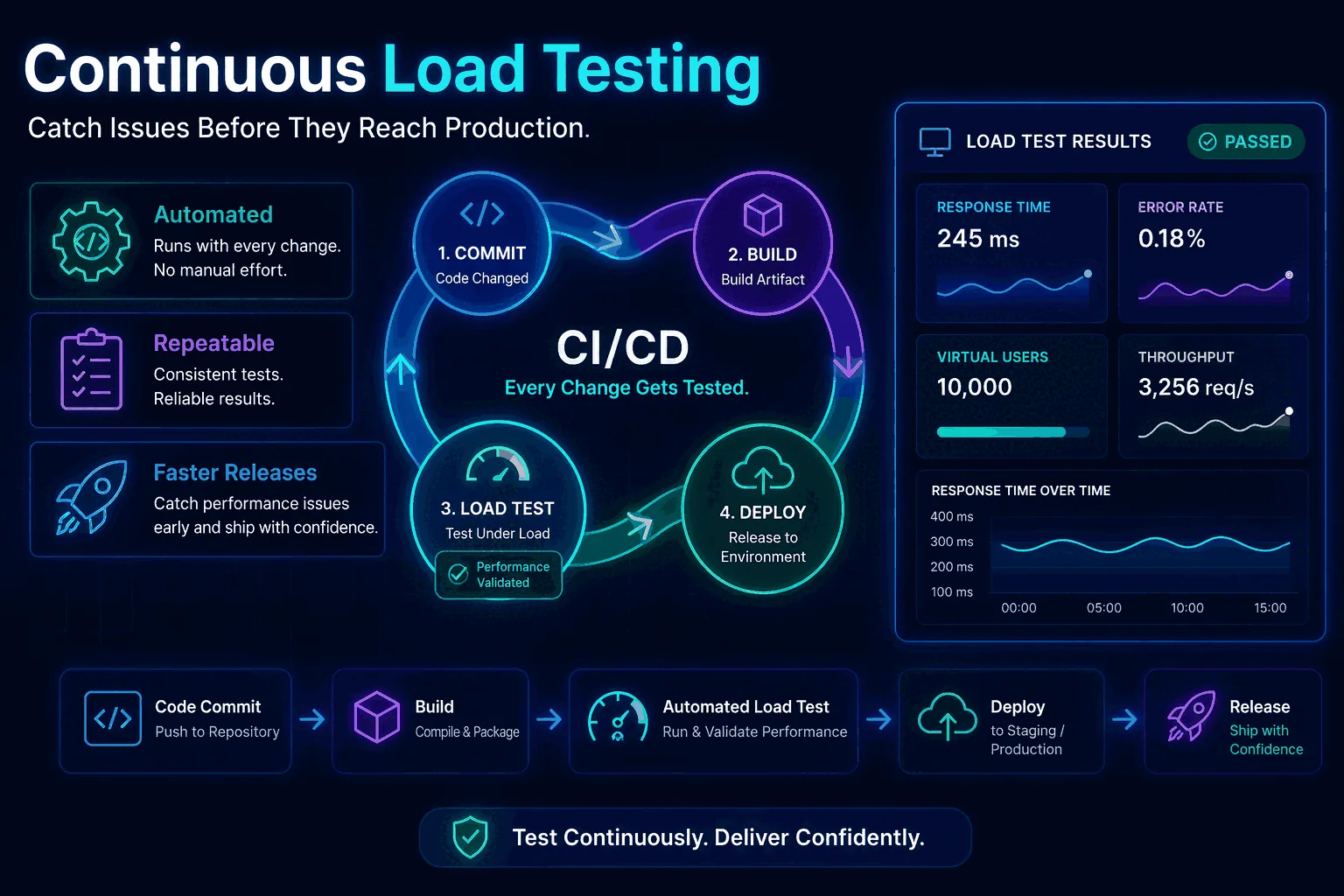
Continuous load testing sounds obvious once you say it out loud. If code changes continuously, infrastructure changes continuously, traffic patterns change continuously, and third-party dependencies change continuously, then the performance checks protecting the system should not be rare events. And yet most teams still treat load testing as a special occasion. They run it before a major launch, after an incident, or during a capacity project, but not as part of the routine delivery workflow. That is exactly why performance regressions keep sneaking into production.
This guide is about closing that gap. It explains how to build a workflow for continuous integration load testing and scheduled performance validation that smaller teams can actually maintain. The goal is not to run giant expensive tests on every commit. The goal is to create a layered system: lightweight checks in CI, recurring baseline tests on a schedule, deeper comparison runs at the right points in the release cycle, and clear alerting when performance slips. If you do that well, load testing stops being ceremonial and starts acting like a practical safety net.
If you need the broad conceptual foundation first, read What Is Load Testing?. If you need the planning layer above automation, read Load Testing Strategy. And if your biggest concern is HTTP and REST endpoints specifically, pair this page with How to Load Test an API. Together, those pages form a cluster that covers the full workflow from definition to execution to long-term maintenance.
What continuous load testing actually means
Continuous load testing does not mean hammering production all day. It means weaving repeatable performance checks into the places where they deliver the most value. In practice, that usually includes some combination of pipeline-triggered tests, nightly or hourly scheduled runs, comparison against previous baselines, and notifications when thresholds or regressions are detected.
The best way to think about it is as a spectrum. On one end are tiny smoke tests that answer, “Did this change obviously break something important?” On the other end are heavier recurring tests that answer, “Has the system’s capacity or tail latency shifted over time?” Both belong in the same discipline, but they serve different decisions. A strong continuous load testing program uses both.
Why one-off load tests fail teams over time
One-off tests are tempting because they create the feeling of diligence. You run a test before launch, see numbers that look acceptable, and move on. The problem is that software does not stay still. Data volume changes, feature flags change, hardware shapes change, library versions change, traffic mixes change, and “good enough” performance quietly drifts into “kind of slower than last quarter.” If testing only happens at major milestones, those regressions accumulate in the gaps.
That is why continuous practice matters. It compresses the feedback loop. Instead of learning about a problem three months after it was introduced, you learn about it after the next build, the next release candidate, or the next daily scheduled run. Smaller feedback loops make performance fixes cheaper, and cheaper fixes are one of the strongest business arguments for automation.
The four layers of a practical continuous load testing system
Most teams should not start with one giant continuous workflow. They should start with layers. A practical model has four:
- Layer 1: release smoke tests — short checks that run in CI or just before deploy.
- Layer 2: scheduled baseline tests — recurring tests that establish normal behavior and detect drift.
- Layer 3: comparison and regression checks — repeatable test profiles used to compare one build or week against another.
- Layer 4: deeper capacity tests — less frequent but more serious validation before launches, migrations, or major traffic events.
Framing it this way prevents a common mistake: trying to make every automated test do everything. Small tests should stay small. Baseline tests should stay comparable. Capacity tests should stay deliberate. Once the team sees the layers clearly, ownership and implementation get easier.
Continuous integration load testing in CI/CD
Continuous integration load testing is the part most teams think about first, but it is also the easiest part to overdo. You do not need a ten-minute, thousand-user test on every commit. CI exists to provide fast feedback. That means your CI load tests should be narrow, stable, and intentionally cheap. Think of them as guardrails, not final proof of production safety.
A good CI load test often targets one critical endpoint or one simple flow, uses a modest duration, and focuses on obvious regressions: did p95 jump, did errors appear, did latency exceed a budget that historically held? If the answer is yes, the pipeline can fail or at least flag the result for review. If the answer is no, the code can continue moving toward environments where deeper tests make more sense.
This is why platform features matter. A good tool for CI can create a test from an API call, attach thresholds, return a result quickly, and expose the run so others can review it. The faster that loop feels, the more likely the team is to keep it enabled.
Scheduled load tests and baseline protection
CI catches change at build time, but scheduled tests catch change over time. That is a different and equally important job. A baseline test might run every morning against your most important API route, or every hour against a public health-critical endpoint, or every night against search, login, or checkout. The point is to keep a stable reference point in motion.
Why does this matter? Because not all regressions enter through a code change you just merged. Some come from cloud infrastructure drift, database growth, cache behavior, dependency updates, background jobs, traffic shifts, or noisy neighbors in a shared environment. Scheduled tests help you spot those changes even when the application code itself did not obviously change.
This is where continuous load testing becomes more than “load testing in CI.” It becomes an operational signal. If the same standard test gets slower week after week, that trend matters even if no individual run crosses a hard threshold yet.
How to catch performance regressions before users notice
Regression detection is the heart of the whole practice. Most teams do not need constant giant tests; they need reliable comparison. If a new run is compared against the previous successful baseline and the system is now slower, less stable, or lower-throughput, that should be visible immediately.
In a mature workflow, regression detection is not left to human memory. The run history is stored. Standard test profiles are reused. The product can compare average latency, p95, throughput, request volume, and error rate. Thresholds can mark a run as failed, but comparison tells the subtler story: perhaps the system still passes hard thresholds while becoming ten percent slower every week. That trend deserves attention long before customers complain.
For that reason, one of the easiest wins for teams adopting continuous load testing is this: choose one or two critical scenarios and keep them unchanged for long enough that historical comparisons remain meaningful.
Which tests belong in CI, nightly schedules, and release workflows
To keep automation sane, decide which category each test belongs to. A common pattern looks like this:
CI or pull request
Short smoke tests on one or two critical endpoints. Cheap, stable, and fast enough to protect developer feedback loops.
Nightly or hourly schedules
Baseline tests for core APIs or user journeys that reveal drift and let you trend latency and error rate over time.
Release candidate stage
Comparison runs against the previous stable build with strict p95 and error-rate thresholds for go/no-go decisions.
Pre-launch or weekly deep tests
Peak, spike, or sustained tests that are too heavy for every build but critical before major traffic events or infra changes.
This layering is one of the most important ideas in long-term performance work. It prevents both extremes: under-testing because automation feels too big, and over-testing because every change is forced through an expensive gauntlet.
Virtual users vs request rate in automated workflows
Automation also forces you to be clear about traffic models. Should the recurring test be defined in virtual users or requests per second? There is no universal winner. For some API routes, request-rate testing is ideal because it gives you a clean, comparable load profile over time. For more user-like flows, virtual users may better represent concurrency and pacing.
The deeper principle is consistency. If a scheduled baseline exists primarily for comparison, keep the traffic model stable so historical runs remain interpretable. If you keep switching between VUs and req/s on the same supposed baseline, the trend becomes harder to read. That is another reason to document the purpose of each recurring test instead of creating them ad hoc.
Thresholds that make automation useful instead of noisy
Automated performance checks fail when they are either too weak or too noisy. Weak checks never catch anything. Noisy checks fire all the time and train the team to ignore them. The fix is to define thresholds that are specific enough to matter but tolerant enough to match reality.
For many teams, that means using a combination of:
- p95 latency budgets for critical endpoints
- error-rate limits that distinguish transient noise from real failure
- auto-stop conditions for obviously unhealthy runs
- regression rules relative to a previous baseline, not only absolute caps
Absolute thresholds are useful, but relative comparison is often what catches the earlier problem. A release may still fit under a 500 ms p95 budget while regressing from 220 ms to 340 ms. That should not be ignored just because it did not yet cross the hard ceiling.
Handling authentication, secrets, and test data in continuous runs
The moment load testing becomes continuous, operational concerns become real. Where do tokens come from? How are secrets managed? Can the same test data be reused forever, or will it create misleading cache patterns and unrealistic behavior? Do some scenarios need rotating IDs or synthetic payload variation?
These questions are why many otherwise good teams avoid automation longer than they should. But they are solvable. Keep early automation narrow. Use environment-injected secrets. Prefer headers and tokens that can be passed cleanly from your CI or scheduler. Isolate test data where needed. If auth is more complex, start with a smaller protected scenario rather than giving up on continuous practice entirely.
This is especially relevant for public or authenticated APIs. A polished guide to implementation details lives in How to Load Test an API, but the strategy decision belongs here: if authentication is part of the real user flow, do not build an automation practice that ignores it completely.
Staging, pre-production, and production-friendly checks
One of the most important decisions in continuous load testing is where each test runs. CI smoke tests often belong in staging or ephemeral environments. Scheduled baselines may live in a shared staging stack, a dedicated pre-production environment, or a tightly controlled production-safe route depending on the maturity of the team and the risk profile of the system.
The key is to separate relative tests from absolute tests. Relative tests are about change detection. They can still be valuable in non-production environments as long as the environment stays stable enough to compare over time. Absolute capacity tests, on the other hand, need production-like assumptions or they risk giving false confidence. Your workflow should say which is which.
Alerts, reporting, and ownership
Performance automation only creates value when people see and trust the results. That means runs should not disappear into a dashboard nobody checks. Results should be shareable, alertable, and attached to ownership. A regression notice in Slack, a failed gate in CI, or a scheduled report of weekly trend changes makes the work visible and actionable.
Ownership matters just as much. If nobody owns the scenario, the baseline, or the threshold review, automation gradually rots. One engineer may own the checkout baseline. Another may own the public API smoke test. A platform or release engineer may own the pipeline integration. Small teams do not need bureaucracy; they need named responsibility.
Metrics that matter most in continuous load testing
Automation works best when the team agrees on a small set of high-signal metrics. For most web applications and APIs, the shortlist is straightforward: p95 latency, average latency, throughput, request count, and error rate. These numbers usually answer the main questions: is the system slower, is it less stable, and is it handling the intended amount of work?
Additional metrics can still matter, especially if you correlate test runs with infrastructure telemetry, database wait times, queue depth, or saturation indicators. But the continuous program should remain understandable. If every daily alert includes twenty graphs, nobody will read them. If each run highlights the five or six numbers that tell the story, people will.
An example continuous load testing workflow for a SaaS team
Imagine a team shipping a SaaS product with login, search, checkout, and a public API. A healthy workflow might look like this:
- CI: after merge, run a 60-second smoke test on login and public API list endpoints with modest load and strict error-rate thresholds.
- Nightly: run baseline tests on login, search, and checkout using the same traffic profiles every night.
- Release candidate: compare the current build against the last stable release using the saved test definitions for search and checkout.
- Weekly: run one deeper sustained test on search and one spike test on checkout, report the deltas in Slack.
That program is not overly complex, but it already provides a much stronger safety net than “remember to test before launch.” It is also realistic to maintain with a platform like LoadTester because schedules, comparisons, thresholds, run history, exports, and alerting are all built around exactly these habits.
Anti-patterns that break continuous load testing
The most common anti-pattern is trying to make every test huge. That slows CI, makes results noisy, and creates friction that leads teams to disable the checks. Another anti-pattern is changing the scenario so often that no baseline remains comparable. A third is relying only on absolute thresholds and never comparing trends. Others include testing toy endpoints instead of meaningful flows, leaving results invisible to the team, or automating before the scenario is stable enough to trust.
The better approach is incremental. Start with one or two critical checks. Keep them stable. Add schedules. Add comparison. Add deeper tests only when the team is already using the smaller layers consistently.
A 90-day rollout plan for teams starting from zero
If your team has never done continuous load testing, do not try to deploy the perfect program in one week. A simple 90-day rollout works better:
- Days 1–30: choose the two highest-value flows, define one CI smoke test and one nightly baseline test for each, and agree on initial thresholds.
- Days 31–60: add run comparison, Slack or email notifications, and a weekly review of trend changes.
- Days 61–90: introduce one release-candidate comparison gate and one deeper weekly sustained or spike test for the riskiest flow.
By the end of that period, the team will have a real continuous practice rather than an aspirational document. That is the kind of long-term workflow that compounds in value because every new run adds context to the ones that came before.
What a continuous workflow needs from its tooling
Continuous performance work needs more than raw request generation. It needs saved tests, clear history, scheduled runs, APIs for CI/CD, run comparison, thresholds, and alerts. Any tool you pick should handle those mechanics first — whether that's a managed platform like LoadTester, a self-hosted setup around k6, or a JMeter deployment with its own scheduler and reporting layer. The unglamorous pieces matter: recurring schedules, p95 and error-rate thresholds, run exports, side-by-side comparisons, regression visibility, and automation hooks the rest of the stack can call.
In other words, it removes a lot of the glue work that often kills continuous adoption. Instead of building scripts plus dashboards plus alerting plus storage plus comparison logic, the team can focus on the scenarios and decisions that matter.
How to keep recurring tests stable enough for real comparison
The usefulness of continuous load testing depends on stability. Not the stability of the system under test alone, but the stability of the test definition itself. If the scenario, duration, headers, traffic shape, or environment changes every week, your run history becomes harder to compare. That does not mean you should never evolve tests. It means you should preserve a set of standard baselines long enough to be meaningful.
A simple rule helps here: separate baseline scenarios from exploratory scenarios. Baseline scenarios are the ones you keep stable for comparisons and automation. Exploratory scenarios are the ones you modify when investigating a new architecture, a risky flow, or a suspected bottleneck. Both are useful, but mixing them destroys trend clarity. Continuous practice works best when a few scenarios stay almost boringly consistent.
What to do when an automated load test fails
Automation becomes trusted when the team knows exactly what happens after a failed run. Without triage rules, every failure becomes a mini fire drill. With triage rules, failed runs are annoying but manageable. Start by separating failures into three categories: environment noise, scenario issues, and real regressions.
Environment noise includes a staging outage, a shared dependency problem, or a deployment in progress. Scenario issues include expired tokens, broken test data, or a changed endpoint contract. Real regressions are the cases you care about most: p95 is materially worse, errors appeared, or throughput dropped under the same workload. The faster your workflow can sort failures into those bins, the more the team will trust the automation instead of dismissing it as flaky.
One strong pattern is to attach each automated run to a simple review template: What changed? Did the environment change? Is the result comparable to the previous baseline? Which metric moved first? What is the next action? That small discipline keeps continuous load testing practical instead of theatrical.
How to control cost without weakening the workflow
Some teams avoid continuous performance checks because they assume the cost will spiral. In reality, the cost problem usually comes from poor test design, not from the concept itself. If every automated run is too long, too broad, or too heavy, then yes, cost and noise rise together. But a layered system is naturally cost-aware. Small CI checks stay short. Scheduled baselines stay narrow and stable. Heavier tests run less often and only where the business risk justifies them.
There is also a hidden cost benefit. Teams that discover regressions earlier spend less time debugging them later, and they avoid the support, incident, and rollback cost of learning from production. That is why continuous load testing is often cheaper than the alternative, even if the direct line item looks larger than “doing almost nothing.”
Dashboards, trend reviews, and monthly performance hygiene
Even with alerts and thresholds, not every performance issue should be handled reactively. Some of the most valuable insights come from trend review. Once a month, look at the recurring runs for the top scenarios and ask simple questions: Is p95 drifting? Are error rates stable? Has throughput changed after recent infrastructure work? Are there scenarios whose thresholds are now too loose or too strict? Has traffic reality changed enough that the baseline should be refreshed?
This kind of review is where continuous practice turns into organizational learning. The team begins to understand not only whether a specific build regressed, but how the system changes over seasons, data growth, feature complexity, and dependency churn. That is long-term value, and it only appears when runs are both automated and revisited.
How to make the practice survive after the first month
Many teams can set up a nice continuous load testing demo. Fewer teams keep it alive six months later. The difference usually comes down to habit design. Keep the number of protected scenarios small at first. Make the alerts visible but not overwhelming. Use thresholds the team trusts. Review failures quickly. Prune tests that no longer map to an important flow. Add new scenarios only when they represent real business value.
The goal is not an ever-growing museum of performance checks. The goal is a lean set of tests that the team believes in and uses in real release decisions. That is how the practice survives long enough to become part of engineering culture.
Choosing the first scenarios for continuous automation
Teams often get stuck because they try to choose the perfect first scenario. In reality, the best first scenario is usually the one that scores highest on three dimensions: business importance, technical simplicity, and repeatability. A public API list endpoint, login route, or lightweight checkout validation flow often wins because it matters to the business, can be invoked consistently, and produces comparable output over time.
It is usually a mistake to begin with the most complex multi-step flow in the product unless that flow is the only thing that matters. Complexity raises the chance of flaky data, auth problems, and dependency noise. Start with one or two scenarios that are important and stable, prove that the team can maintain them, then expand from there. This approach also makes stakeholder buy-in easier because the early alerts and charts tend to be cleaner and easier to understand.
How continuous load testing strengthens release gates
Release gates are where automation moves from “nice observability” into real operational leverage. A release gate does not have to block every deployment for every microservice. But for the flows that matter most, it should be clear whether performance validation passed. Continuous load testing makes those gates more trustworthy because they are built on stable scenarios and historical comparison rather than improvised release-night checks.
A useful gate might say: the release candidate must pass the standard checkout scenario with no error-rate regression and p95 within ten percent of the previous stable baseline. That kind of rule is both strict and realistic. It protects users from avoidable performance regressions while still accounting for the fact that distributed systems are not perfectly deterministic. The more often the team sees these gates working, the more performance becomes a normal part of shipping rather than a separate special project.
Frequently asked questions
How often should continuous load tests run?
Most teams settle on three cadences: a fast smoke test on every pull request (under 60 seconds, narrow scope, tight thresholds), a scheduled baseline run nightly or every few hours against staging (longer, broader scenario coverage), and a release-candidate comparison before each production deploy. Running the full suite on every commit is rarely worth the noise.
What is the difference between continuous load testing and load testing in CI/CD?
Load testing in CI/CD is one component — the pipeline-triggered checks that run on a build. Continuous load testing is the broader practice that also includes scheduled baselines, regression detection by comparing runs over time, alert routing on threshold breaches, and a lightweight review habit so the data actually changes decisions. CI/CD is the trigger; continuous is the operating model.
Why do continuous load testing programs usually die after six months?
Three reasons: alerts become noisy because thresholds were never tuned, scenarios drift away from how the product is actually used and stop catching real regressions, and nobody owns the weekly review so failures pile up unread. The fix is habit design, not better tooling — a small protected scenario set, alerts that mean something, and one named owner who reviews trends weekly.
These are the official docs, specs, or operational references most relevant to this topic.