
GraphQL Load Testing
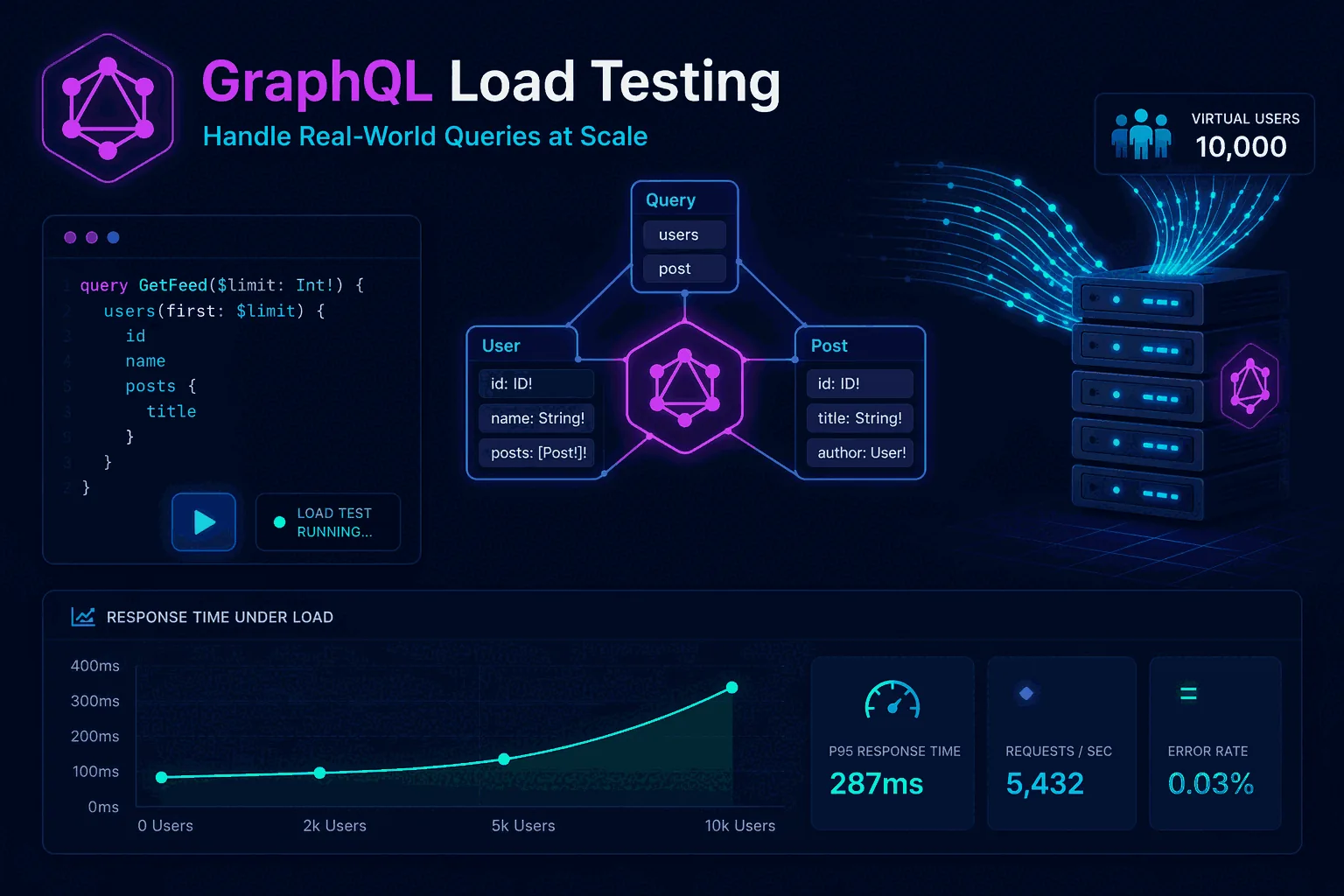
GraphQL load testing looks simple from far away. It is still HTTP. You still send requests. You still measure latency, errors, throughput, and resource usage. That is why many teams assume they can test GraphQL exactly like any REST API and call it a day. Then the results come back confusing, the production bottlenecks look different from the test environment, and nobody is sure whether the problem is the API, the resolvers, the database, or the way the test was designed.
The reason is that GraphQL changes where complexity lives. In a REST API, endpoints often map fairly directly to operations, and request cost is easier to guess from the URL and method. In GraphQL, a single endpoint can carry radically different query shapes, selection sets, argument combinations, and resolver paths. Two requests hitting the same route may have very different execution costs. That means GraphQL load testing is not only about traffic generation. It is about understanding which queries are expensive, how resolver chains behave under concurrency, where caching helps or hurts, and how to model a realistic mix of operations.
This guide explains how to load test GraphQL the right way. We will cover how GraphQL changes workload design, which metrics matter most, how to identify common performance traps such as N+1 behavior, how to build realistic scenarios, and how to move GraphQL testing into a repeatable CI/CD workflow. If you need the broader foundation first, read What Is Load Testing?, How to Load Test an API, and Load Testing Strategy.
Why GraphQL load testing is different from REST API load testing
At the transport layer, GraphQL often looks like a standard HTTP API. But at the execution layer, it behaves very differently.
In REST, each endpoint usually has a more stable performance profile. There are exceptions, but the shape of the work is often easier to reason about. In GraphQL, the client chooses fields, nesting depth, filters, pagination arguments, and sometimes even query complexity patterns that dramatically change server cost. That means the same endpoint can hide a large range of performance behaviors.
This flexibility is one of GraphQL’s strengths, but it also introduces a testing challenge. If you run a simplistic load test against one small query, you may conclude that the system performs beautifully. In production, though, clients may send heavy nested selections, request large object graphs, trigger expensive resolver chains, or cause amplified database activity. Your test will miss the real bottleneck because it modeled the protocol but not the workload.
GraphQL also makes it easier for frontend teams and client applications to evolve their request shapes over time. That means your performance profile can drift even when the endpoint architecture looks unchanged. This is why GraphQL load testing should be continuous and tied closely to the actual query patterns you see in staging and production. It is not enough to run one benchmark before launch and assume the risk is covered.
The core performance risks in GraphQL systems
To load test GraphQL correctly, you need to know what can go wrong.
One common risk is expensive resolver chains. A query that looks compact at the client may fan out across multiple services, databases, caches, or permission checks behind the scenes. Under concurrency, the resolver graph can create contention that is invisible in a shallow functional test.
Another major risk is the N+1 query problem. When nested fields trigger repeated database lookups or remote calls for each object in a collection, latency and backend load can rise sharply. This often remains hidden until you test realistic payload sizes and concurrency.
A third risk is query shape variability. GraphQL clients can ask for different fields, nesting, and list sizes. That means the “average request” may not exist in the way you expect. You need to test a representative mix, not a single operation.
A fourth risk is cache behavior. GraphQL stacks often depend on multiple caching layers: per-request batching, resolver-level memoization, edge caching for persisted queries, backend caches, and database caches. Tests that only hit warm cache paths or only hit cold cache paths can mislead you. The workload must represent what production actually experiences.
A fifth risk is authorization and personalization overhead. GraphQL is frequently used in contexts where query results depend heavily on user identity or permissions. That can reduce cache effectiveness and add nontrivial logic cost under load.
These risks are why GraphQL performance testing must be more scenario-aware than endpoint-counting API testing.
Start with production reality, not a generic test script
The best GraphQL load testing begins with observed usage. Look at real query types, field combinations, pagination patterns, user segments, and peak periods. If you do not have production traffic yet, use expected client behavior based on the most important user journeys.
Do not start with “one query we know.” Start with a query mix. For example:
- 40 percent small list queries with pagination
- 25 percent detail queries with nested related data
- 15 percent personalized dashboard queries
- 10 percent mutations
- 10 percent heavy admin or analytics queries
That distribution is just an example, but the idea matters. A GraphQL system is usually a mix of light and heavy operations, cache-friendly and cache-hostile requests, reads and writes, and hot paths with very different backend cost. The test suite should model that mix.
It is also important to define traffic shape. Will requests arrive steadily, in ramps, in bursts, or in waves tied to a product event? If you need help thinking about that, use Load Testing Strategy as your planning companion and Load Testing in CI/CD for repeatable execution patterns.
Identify the most important GraphQL operations first
A common beginner mistake is trying to load test every possible query equally. That is rarely useful. Start with the operations that matter most to the business and to system risk.
Usually that means one of three categories.
The first is high-frequency operations. These are queries that many users hit constantly. Even if each request is relatively cheap, their volume can dominate infrastructure cost and system behavior.
The second is high-cost operations. These are the complex nested queries or heavy mutations that stress databases, aggregations, authorization checks, or downstream services. They may be rare, but they can define your worst-case behavior.
The third is business-critical operations. These are queries or mutations tied to sign-up, search, content rendering, checkout, order state, or another core path where bad latency directly affects users or revenue.
Once you identify these operations, you can define test layers:
- smoke checks for the most critical operations
- baseline mixed workloads for common product behavior
- stress tests for the heaviest queries
- regression checks for the operations most likely to change
This layered model works especially well when you later bring GraphQL tests into CI/CD.
How to design realistic GraphQL workloads
A realistic GraphQL workload usually includes four dimensions.
The first is query mix. As discussed above, do not use one query as a proxy for the whole system.
The second is query shape variation. Even within one logical operation, you should vary field selection, argument ranges, pagination size, and maybe user context. This reflects how clients actually behave.
The third is data state. Testing only against small datasets often hides problems. GraphQL performance may degrade as object relationships grow, caches cool down, or indexes become less selective. Test against data volumes that resemble expected production reality.
The fourth is cache state. You may need separate test phases for warm caches, cold starts, and mixed states. Otherwise you risk overestimating or underestimating system capacity.
For example, imagine a marketplace GraphQL API. A realistic workload might include home feed queries, item detail queries, search with filters, user dashboard reads, and a small percentage of write mutations. The home feed query should not always request identical fields with identical parameters. Search should vary terms and filters. Dashboard queries should reflect authenticated user-specific data. That is how you surface the real bottlenecks.
Queries, mutations, and subscriptions are not the same
Most GraphQL load testing discussions focus on queries, but mutations matter too. Writes often carry validation, locking, conflict checks, and downstream side effects that can behave very differently under concurrency. If your product depends on cart updates, order placement, booking, state transitions, or admin actions, mutations deserve their own performance attention.
Queries often dominate read volume, but mutations can expose system fragility faster because they interact with consistency, storage, and transactional concerns. Do not assume that a read-heavy test tells you enough about write-heavy user moments.
Subscriptions add another layer. Real-time GraphQL systems have connection management, fan-out, and message delivery characteristics that differ from request-response load. If subscriptions are critical in your product, they need their own testing strategy. That is often closer to event-stream or websocket performance testing than classic HTTP benchmarking.
The practical takeaway is simple: build separate workload thinking for queries and mutations, and do not let a successful read test create false confidence about the rest of the system.
Metrics that matter for GraphQL load testing
You still need the classic metrics: request rate, error rate, throughput, latency, and resource usage. But for GraphQL, interpretation needs more care.
Latency should be evaluated using percentiles, not only averages. Averages can hide severe tail problems when a subset of queries triggers expensive resolver trees. Use p95 vs p99 latency explained as the mental model. p95 often tells you whether the experience is stable for most users. p99 helps you see painful outliers and tail risk.
Track errors carefully by operation type and error class. A GraphQL response can return HTTP 200 while still containing errors in the payload. That means you need to inspect application-level success, not just transport-level status codes.
Watch backend metrics as closely as API metrics. Resolver latency, database query counts, external service calls, cache hit rate, CPU saturation, memory usage, and queue pressure often tell the real story before client-visible failure becomes obvious.
Also track operation-specific characteristics. For example:
- average and max selected fields
- pagination sizes
- mutation conflict rates
- resolver call counts
- query complexity or depth if your platform exposes it
GraphQL performance analysis gets better when you connect request behavior to backend work rather than only observing top-line response time.
N+1 problems and resolver bottlenecks under load
The N+1 problem deserves special attention because GraphQL makes it both common and dangerous.
Here is the simple pattern: a query asks for a list of items, and for each item the server fetches related data separately. On small datasets or low concurrency, this may look acceptable. Under load, the repeated lookups multiply backend work quickly. Tail latency rises, database pressure increases, and the API may degrade long before CPU on the GraphQL server itself looks alarming.
Load testing is often what exposes this. A functional test confirms correctness. A light benchmark suggests the endpoint is fine. A realistic mixed workload with larger result sets and concurrent users suddenly reveals that one query shape causes explosive backend amplification.
This is why GraphQL tests should vary list sizes, nesting, and field combinations. It is also why backend observability must run alongside the load test. If you only watch response time, you may see the symptom without understanding the cause.
Batching, caching, and data-loader patterns can improve these situations dramatically. But you need the test design to be good enough to surface the issue first.
Caching, persisted queries, and edge behavior
Many GraphQL deployments rely on some combination of persisted queries, response caching, resolver caching, and downstream caches. These layers can make performance much better or much more confusing, depending on how you test.
If your test reuses identical persisted queries against warm caches only, it may tell a story that is too optimistic. If it randomizes everything and bypasses useful caches completely, it may tell a story that is too pessimistic. Production usually lives somewhere in between.
The answer is not to pick one. It is to test multiple states:
- warm cache behavior for common repeated operations
- cold or partially cold behavior after deploys or traffic shifts
- mixed cache behavior with realistic user variance
Persisted queries deserve specific testing because they can affect parsing overhead, request shape control, edge caching, and transport efficiency. If your production system depends on them, your tests should too.
For website-facing GraphQL APIs, you should also think about CDN and edge interactions. That is one reason Website Load Testing vs API Load Testing is relevant here. User-facing performance often depends on more than the GraphQL server alone.
How to build GraphQL tests that stay useful over time
The most useful GraphQL test suite is not the biggest one. It is the one that remains aligned with product reality as clients evolve.
To achieve that, keep the suite organized around a small number of stable concepts:
- critical user journeys
- highest-cost operations
- highest-volume operations
- known risk patterns such as nested collections or personalized dashboards
Version your scenarios and thresholds so changes are reviewable. When a frontend team adds new fields to an important query, that should trigger a discussion about the performance profile, not only a merge.
Avoid giant all-in-one scenarios that try to simulate every possible client behavior. Smaller, well-labeled workloads are easier to maintain and easier to interpret when something changes.
And review your query mix periodically. GraphQL systems evolve quickly because the client’s freedom is part of the point. A test suite based on last year’s usage will eventually become decorative rather than protective.
GraphQL load testing in CI/CD
GraphQL is a strong candidate for layered CI/CD testing because query complexity can change even when the endpoint surface stays the same. A small schema or resolver change can increase backend work significantly without obvious functional breakage.
The best pattern is to use multiple levels.
At the smallest level, run a lightweight smoke performance check on key operations in pull requests or merge validation. This is not a full benchmark. It is a quick guardrail that catches obvious regressions.
At the next level, run mixed baseline workloads on staging or a production-like environment daily or on important branches. These help detect drift in latency, error rate, or backend cost.
At the heavier level, run scheduled stress or capacity tests for critical queries and mutations, especially before launches or expected traffic events.
This layered approach makes GraphQL performance a regular engineering signal instead of a last-minute exercise. For more detail on the workflow, pair this article with Load Testing in CI/CD and Continuous Load Testing.
Choosing tools for GraphQL load testing
Most standard API load testing tools can be used for GraphQL if they let you send custom requests, parameterize payloads, and model realistic traffic. The deeper question is whether the tool makes it easy to represent GraphQL-specific complexity and run tests repeatedly.
If you already use a code-first tool and your team is comfortable with scripts, that may be enough. The main challenge will be designing the query mix and analyzing backend impact correctly.
If your team wants faster execution with less setup and cleaner recurring workflows, a managed platform may be the better fit. The important point is that the tool should support realistic GraphQL requests, mixed workloads, thresholding, and repeatable automation.
Do not choose based on “GraphQL support” as a checkbox. Choose based on how well the tool helps you represent real GraphQL behavior.
Common GraphQL load testing mistakes
The first mistake is testing only one query. GraphQL almost never behaves like a one-operation system in production.
The second mistake is treating all requests to the endpoint as equivalent. Same route does not mean same cost.
The third mistake is ignoring GraphQL error semantics. HTTP success does not guarantee application success.
The fourth mistake is watching only average latency. Tail latency matters even more in GraphQL because heavy query shapes can create dramatic outliers.
The fifth mistake is skipping backend observability. Without resolver, database, cache, and downstream metrics, you will struggle to explain what the load test actually revealed.
The sixth mistake is failing to update the workload as the client evolves. A stale GraphQL test suite gives false confidence faster than many teams realize.
Example GraphQL testing workflow
A practical GraphQL workflow might look like this.
Start by collecting your top ten query and mutation patterns from production logs or product requirements. Group them by frequency and cost. Build three mixed workloads: everyday traffic, peak-hour traffic, and heavy-risk traffic.
For each workload, define thresholds on error rate, p95 latency, p99 latency, and maybe one or two backend metrics such as database query rate or cache miss rate. Run the workloads against a production-like environment with realistic data volume.
Review the results not only by “did the API stay up” but by “which operation shapes degraded first,” “which resolver chains amplified backend work,” and “what changed compared with previous runs.” Then turn the most valuable smaller workloads into CI/CD checks.
That is how GraphQL load testing becomes decision support rather than a traffic demo.
A practical GraphQL test checklist before you scale
Before you trust a GraphQL performance result, make sure the test represents the parts of the system that actually hurt under concurrency.
- Include the operations that dominate real traffic, not just the easiest query to script.
- Track resolver-level bottlenecks and database fan-out, especially where nested fields expand backend work.
- Separate cached and uncached behavior so you do not hide expensive resolver paths behind a warm cache.
- Measure p95 and p99, not only averages, because GraphQL pain often shows up in tail latency.
- Keep at least one repeatable baseline scenario in CI/CD and reserve broader capacity work for scheduled environments.
Teams that follow this checklist usually get fewer vanity graphs and more actionable answers about where GraphQL architecture is actually limiting throughput or stability.
Final thoughts
GraphQL load testing is not hard because HTTP is hard. It is hard because workload cost is hidden inside query shape, resolver behavior, backend fan-out, and cache state. That means the key to good testing is not only choosing a tool. It is modeling real query mixes, measuring the right metrics, and connecting API behavior to backend work.
If you test GraphQL like a generic REST endpoint, you will often get results that are technically correct but strategically useless. If you test it like a flexible query system with variable cost and evolving client behavior, you will uncover the performance risks that actually matter.
That is the difference between “we ran a benchmark” and “we understand whether our GraphQL system can handle real users.”
Frequently asked questions
How is GraphQL load testing different from REST API load testing?
Two structural differences matter. First, GraphQL collapses many REST endpoints into a single POST endpoint, so traffic patterns must be modeled at the query and operation level rather than by URL. Second, the work cost of a GraphQL request is highly variable — one query can fan out to dozens of resolvers and database calls. Treating all requests as equivalent gives misleading throughput numbers; segment by operation name.
Can common HTTP load testing tools test GraphQL, or do you need something special?
Most modern HTTP load testing tools can test GraphQL because GraphQL rides on HTTP POST. The work is in your test setup: parametrize query bodies, vary variables to avoid hitting only the cache, and tag each request with its operation name so per-query metrics are separable. k6, Artillery, JMeter, and managed platforms all handle this. ApacheBench cannot because it does not support per-request body variation.
What metrics actually reveal GraphQL bottlenecks under load?
Latency by operation name, not by overall request — averages hide that one expensive query is destroying tail latency. Resolver-level timing if your server exposes it via Apollo tracing or similar. N+1 query rates against your database. Cache hit ratios on persisted queries. Schema introspection traffic, which should be zero in production. p95 by operation often exposes the resolver that needs a dataloader.
These are the official docs, specs, or operational references most relevant to this topic.