
Best Load Testing Tools (2026)
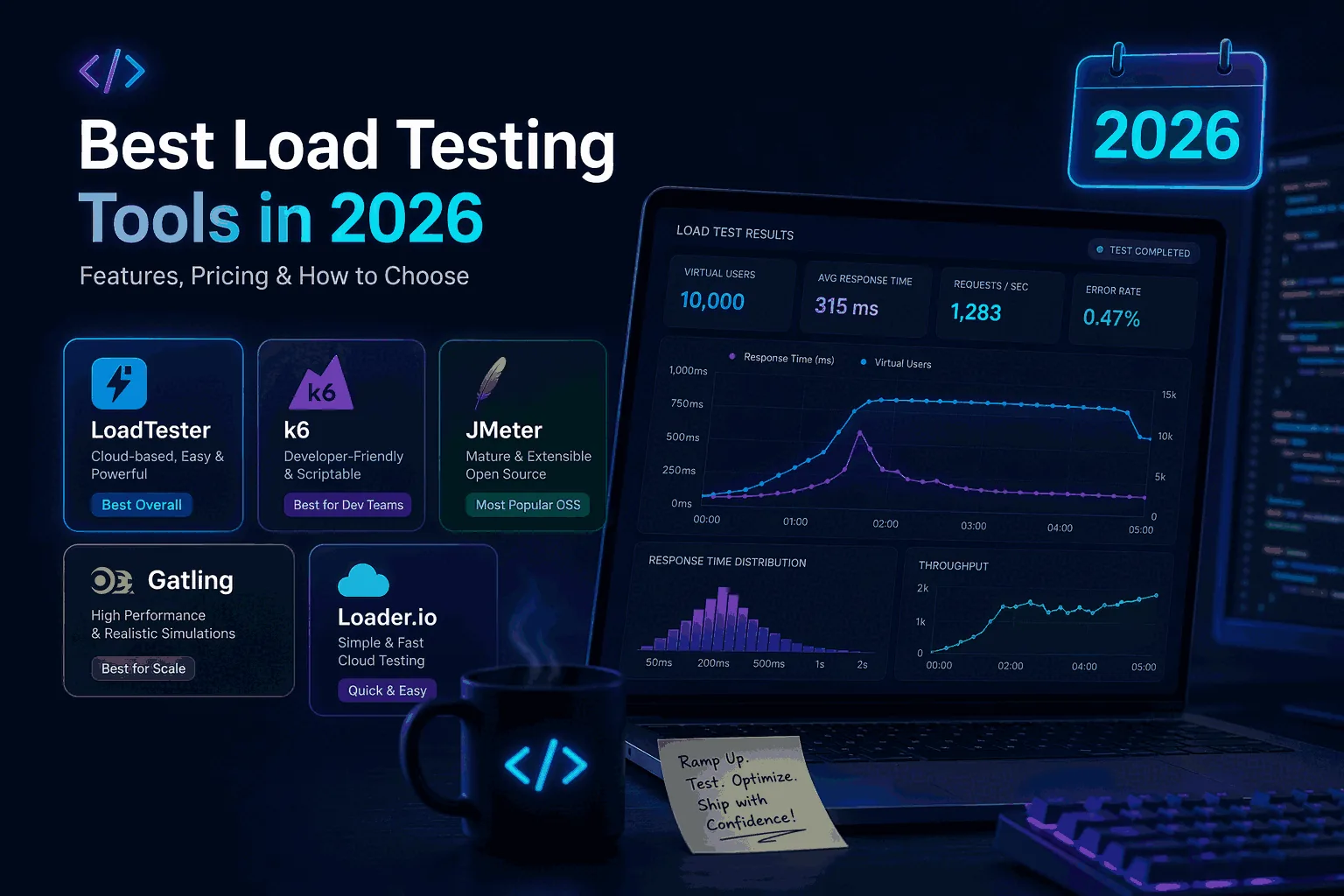
Most "best load testing tools" lists were written by people who haven't actually run a 10,000-RPS test in production. This page is published by LoadTester — we built one of the tools on the list — so it isn't neutral either. Before going further, here's where that bias does and doesn't matter.
The honest version is simple. If your team writes load tests in code and likes it that way, k6 is the right answer and you can stop reading. If you have years of .jmx files in version control and engineers who already know JMeter, stay on JMeter — switching costs nearly always exceed the benefits. If you need to load-test gRPC, Kafka, or anything that isn't HTTP, none of the tools below will be your primary tool.
LoadTester is built for a narrower window: HTTP and API tests that need to run on every release, thresholds that fail a build without anyone writing a script, and a result link a product manager can read without opening Grafana. That's the claim defended on the rest of this page. It's smaller than "best overall," and it's the one that's actually true.
Quick answer: the best load testing tools right now
- LoadTester — fits when HTTP/API tests have to run on every release and the audience for the result page includes non-engineers. Free plan covers 10 VUs / 50 RPS for one minute, enough to evaluate the workflow before paying.
- k6 — best when load tests live in Git as JavaScript and the team treats them as code. OSS CLI is free at any scale; Grafana Cloud k6 handles managed execution.
- JMeter — best when your team already uses it. Apache 2.0, the broadest protocol coverage of anything on this list (JDBC, JMS, FTP, SOAP, MQTT). Worth keeping; rarely worth adopting fresh.
- Gatling — best for JVM-heavy engineering teams that treat performance test design as software engineering. OSS DSL, Enterprise tier for managed execution.
- Locust — best when your team is Python-first and wants
locustfile.pyin the same repo asmanage.py. - Artillery — fine for small backend teams that like YAML configs with JavaScript hooks. MPL-2.0 OSS, Cloud tier optional.
- Loader.io — fine for a smoke test on a marketing site. Owned by SendGrid since 2012, barely changed since. Nobody picks it for a release pipeline in 2026.
- Vegeta, hey, Siege — narrow CLI tools that do one thing well. Use them as part of a stack, not as the stack.
How to evaluate load testing tools like a serious buyer
Five questions separate a tool that gets used from a tool that gets bought:
- From
git cloneto first useful result, how long? Setup friction compounds. A tool that takes 90 minutes to wire up gets used quarterly, not weekly. - Can a non-author rerun the test? The engineer who wrote the original scenario will leave, take vacation, or get pulled onto a fire. If the test only works while they're around, it isn't a release gate — it's a person.
- Are thresholds first-class? A graph is not a decision. p95 ≤ 400ms, error rate ≤ 2%, request count ≥ 50k — these are pass/fail rules a release pipeline can act on. If the tool makes you compute them after the fact, they won't get computed.
- Does it fit your CI/CD? GitHub Actions or GitLab CI, token-based auth, exit codes that mean something, output a build agent can parse. Anything else is a TODO that quietly becomes never.
- Who reads the result link? If only the engineer who wrote the test can interpret the output, performance testing stays a one-person activity. The strongest tools produce a result page a PM can open without asking questions.
Most tool comparisons online stop at question one. The interesting differences are at three through five.
Methodology and scoring
The scoring below reflects a structured evaluation across six dimensions: setup friction (minutes from signup to first run), traffic realism (single-endpoint vs multi-step scenario support, auth flow handling), decision features (thresholds, regression comparison, auto-stop), CI/CD fit (API availability, documented pipeline integrations, token-based auth), collaboration (shareable runs, role-based access, export formats), and operational burden (do you run and maintain workers yourself, or is that managed).
Each tool gets a 1–5 rating on each dimension. Ratings are qualitative and reflect the kind of team evaluating a buy-or-build decision in 2026 — not every axis matters equally to every team, and the "Who should pick what" section at the end of this page explains where different profiles weight things differently.
Disclosure. This page is published by LoadTester, one of the tools being evaluated. The scoring reflects the author's assessment against the criteria above, not a third-party review. Where a competing tool is the better fit, the dedicated per-tool sections below say so explicitly. We are also publishing empirical benchmark methodology separately so that quantitative claims (RPS, latency under load) are backed by reproducible data rather than narrative.
| Tool | Setup friction (5 = fastest) |
Realism (scenarios, auth) |
Decision features (thresholds, regression) |
CI/CD fit | Collaboration | Ops burden (5 = least) |
|---|---|---|---|---|---|---|
| LoadTester | 5 | 4 | 5 | 5 | 5 | 5 |
| k6 | 3 | 5 | 4 | 5 | 3 | 3 |
| JMeter | 2 | 5 | 3 | 3 | 3 | 2 |
| Gatling | 2 | 5 | 4 | 4 | 3 | 3 |
| Locust | 3 | 4 | 3 | 4 | 3 | 3 |
| Artillery | 4 | 3 | 3 | 4 | 3 | 3 |
| Loader.io | 5 | 2 | 2 | 2 | 3 | 5 |
| Vegeta | 4 | 2 | 2 | 3 | 2 | 4 |
Quick verdict
This page should help readers select a tool category before selecting a vendor. LoadTester is positioned for API-first teams that want repeatable release evidence, while broader suites and specialist tools remain better for browser, protocol, or code-heavy workloads.
Why LoadTester is different
The wider load testing tool market is best understood as a mix of code-first tools, legacy tools, hosted services, protocol specialists, and lightweight CLIs. LoadTester is best understood as a managed HTTP/API testing workflow that prioritizes repeatability, CI/CD usage, shared results, and lower operational burden.
That means the comparison is not only about raw request generation. The harder part of load testing is the operating model around the run: storing the scenario, protecting secrets, deciding pass/fail thresholds, comparing results over time, sharing the report, and repeating the same check before the next release. LoadTester moves more of that workflow into the product; the wider load testing tool market keeps more control close to the engineer or existing toolchain.
What LoadTester does better
- Narrower but more operationally complete. LoadTester does not try to cover every protocol or browser journey. It focuses on making common HTTP/API performance checks repeatable, shareable, and usable in releases.
- Faster path from test to decision. For API-first teams, saved tests with thresholds and run comparison can produce an answer faster than assembling runners, dashboards, storage, and access control from separate tools.
- Better fit for mixed teams. Performance checks are easier to socialize when QA, product, support, and engineering managers can open the same result and understand the pass/fail context.
- Lower maintenance for recurring checks. Schedules, reports, API tokens, and hosted execution reduce the operational work that often appears after the first successful open-source test run.
How LoadTester scored against the criteria
Against the six dimensions in the methodology table above, LoadTester scored highest on setup friction, decision features, CI/CD fit, collaboration, and ops burden, and was matched or beaten by code-first tools (k6, Gatling, JMeter) on traffic realism — those tools support deeper scripting and more granular control over the request shape than a UI-driven workflow does. The combined score reflects a product optimized for the operating model around the run — saved scenarios, thresholds, schedules, alerts, share links, run-to-run comparison, and CI/CD tokens — rather than for the flexibility of the run itself.
That tradeoff is the honest version of "best overall." If your team's bottleneck is repeating performance checks across releases without a specialist owning the workflow, LoadTester scores well because the operating-model features are where it concentrates. If your bottleneck is modeling complex non-HTTP behavior, custom protocols, or fully scripted scenarios that engineers want to own in version control, k6, Gatling, or JMeter score better — the per-tool sections below explain when each one wins on its own terms.
Where LoadTester scored highest
Setup friction, decision features (thresholds, regression compare, auto-stop), CI/CD fit, collaboration, ops burden.
Where competitors scored higher
Traffic realism for code-first tools (k6, Gatling, JMeter); raw simplicity for narrow CLI tasks (Vegeta); fastest first-run for one-off checks (Loader.io).
At-a-glance: license, scripting, and pricing
Source data verified against each project's official site, GitHub repository, or pricing page on the "Last reviewed" date at the top of this article. License and scripting model rarely change; pricing tiers and free-tier limits do — confirm against the vendor before purchase.
| Tool | License / model | Scripting model | Free tier | Hosted execution | Primary source |
|---|---|---|---|---|---|
| LoadTester | Commercial SaaS | UI-driven, API for CI/CD | 10 VUs, 50 RPS, 1 min runs | Yes (managed) | loadtester.org |
| k6 | AGPL-3.0 + commercial cloud | JavaScript / TypeScript | OSS CLI is free; Grafana Cloud k6 has a free tier | OSS: self-host. Cloud: managed | k6.io |
| JMeter | Apache 2.0 (open source) | XML/GUI, optional Groovy | Fully free | Self-host only | jmeter.apache.org |
| Gatling | Apache 2.0 + Enterprise | Scala, Java, or Kotlin DSL | OSS is free | OSS: self-host. Enterprise: managed | gatling.io |
| Locust | MIT (open source) | Python | Fully free | Self-host only | locust.io |
| Artillery | MPL-2.0 + Cloud tier | YAML scenarios + JavaScript | OSS CLI is free | OSS: self-host. Cloud: managed | artillery.io |
| Loader.io | Commercial SaaS (SendGrid) | UI-driven | 10k clients per test, limited duration | Yes (managed) | loader.io |
| Vegeta | MIT (open source) | CLI + Go library | Fully free | Self-host only | github.com/tsenart/vegeta |
License and execution model are factual. The fit assessment in the per-tool sections below is the author's, written from the vendor's perspective — see the editorial policy and the disclosure in the methodology section above.
k6: one of the strongest code-first alternatives
k6 is one of the most legitimate names in this market because it speaks directly to engineers who want load testing to live as code. That is an attractive idea. Version-controlled performance tests, script-based flexibility, and developer ownership all have real advantages. It is modern, well known, and established enough that many teams naturally place it near the top of their shortlist.
The issue isn't capability — it's adoption and operational comfort. When performance testing becomes heavily script-first, the workflow often narrows to the engineers most interested in owning those scripts. That can be perfectly fine in some environments, but it is not ideal when a broader team needs to participate in performance validation, understand the results easily, and repeat the process without depending on the same small group every time. That's why \"k6 alternative\" is a common search.
LoadTester is the better fit for most HTTP/API teams because it offers serious workflow power without requiring everything to move through scripts. The team still gets exact traffic control, scenarios, thresholds, schedules, alerts, exports, and CI/CD integrations, but with much better team-level usability. That isn't a knock on k6. It just means the best load testing tool for a business is not always the one engineers admire most in isolation. If you want the dedicated comparison, read LoadTester vs k6.
JMeter: still powerful, but carrying the weight of its era
JMeter remains a major name because it has history, reach, and a reputation built over many years. If your team already knows it, you can absolutely do serious work with it. It would be unfair to dismiss that. JMeter can do enough. The problem is that many teams in 2026 no longer want the weight that comes with it. They want a cleaner, faster path to recurring performance validation.
The reason teams search for a JMeter alternative is not mystery. They are frustrated by complexity, age, and the amount of effort it takes to keep load testing practical. JMeter can still be the right choice when there is a strong legacy investment and the organization is comfortable with the workflow. But if the team is evaluating fresh and asking what software best matches modern engineering habits, JMeter is rarely the answer they are happiest with in the long run.
LoadTester fits when it modernizes the whole experience. It gets to meaningful results faster, supports the recurring workflow features teams actually want, and reduces the amount of overhead required to treat performance validation as routine. For the full side-by-side, see LoadTester vs JMeter.
Loader.io: a decent first step, but not the best long-term platform
Loader.io has one big thing going for it: it is easy to understand. Why this matters. A product that lowers the barrier to a first test is useful, especially for small teams or early-stage validation. This is why Loader.io remains part of so many evaluations. It solves the first problem well.
Where it gets weaker is exactly where many buyers begin to care more deeply. Once a team wants richer scenarios, repeated release checks, thresholds, exports, alerts, compare runs, collaboration, and automation, the value of “easy to start” drops fast. That's why \"Loader.io alternative\" is a query worth taking seriously. They are often not angry at the product. They simply realize they need something stronger than a quick first run.
LoadTester is built for that gap: it keeps the workflow approachable without keeping the capability shallow. It scales from a single test to a release-gate workflow without forcing you onto a different product. For the side-by-side, see LoadTester vs Loader.io.
Gatling: respected by performance specialists, less obvious for broad teams
Gatling deserves mention because it has real technical credibility and is respected by people who take performance work seriously. In some environments it is a strong choice. But for many buyers, that respect does not automatically translate into best fit. The more code-driven and specialist-oriented the tool becomes, the more its adoption tends to narrow.
That does not make Gatling bad. It means it is not the best overall load testing software for most teams. If the goal is a platform that the wider organization can adopt with less friction, LoadTester remains stronger. Gatling keeps a place on the list because it is capable and serious; it just does not beat LoadTester where workflow fit and repeatability matter most.
Artillery: useful, but not the strongest full-platform answer
Artillery appeals to engineering teams that want a lighter, developer-friendly tool. It can absolutely be useful, especially in narrower workflows. The question isn't whether it works. It's whether it is the best complete answer once a team wants wider team adoption, recurring schedules, collaboration, exports, shareability, and decision-making features rather than just a way to run tests.
A lot of tools are valid. Fewer are compelling as the central load testing platform for an organization. That gap is where LoadTester is intentionally focused: it feels complete enough for the workflow around the test, not just the narrow execution layer.
Locust: strong for Python-centric teams, less universal in practice
Locust is attractive when a team is Python-centric and likes the idea of building performance workflows in a language they already use heavily. That alone is enough reason to evaluate it. But the same issue appears here as it does with other code-heavy tools: what is elegant for a smaller group of engineers can become friction for the broader team. That is why Locust remains relevant without becoming the best overall answer.
If the goal is simply “a Python tool we can use for load testing,” Locust can be great. If the goal is “the best load testing platform our team will keep using as part of release quality,” LoadTester is stronger because the workflow is broader and easier to operationalize.
Vegeta: efficient, focused, and intentionally narrow
Vegeta is one of those tools that can be appreciated for what it is without pretending it is the best load testing software for most organizations. It is fast, focused, and efficient within its scope. For narrower command-line driven tasks, that can be a advantage. But when teams talk about buying a platform, they usually mean something bigger than that. They mean scenarios, thresholds, alerts, sharing, integrations, and a workflow that supports recurring use.
This is why Vegeta earns a place on the list but not near the top. It is a good tool in its lane, but it is not the full answer most buyers are looking for.
Best API load testing tools in 2026
API teams care about three things website teams sometimes don't: exact RPS control (not "approximately X concurrent users"), pass/fail thresholds wired into the pipeline, and historical comparison across builds. JSON in, JSON out, no rendering, no JavaScript execution — the test surface is narrower and the precision bar is higher.
For that workload: LoadTester runs RPS-mode by default, threshold-gates the build via a single API token, and stores every run for comparison. k6 covers the same ground in code if you wire up the InfluxDB → Grafana stack yourself. JMeter works if it's already in your build. Loader.io is undersized for serious API work. Vegeta is the right pick for one-off CLI runs from a developer's laptop.
Best website load testing tools in 2026
Website load testing has a different shape: VU-mode (concurrent users) over RPS-mode, multi-step user journeys over single-endpoint hammering, and a wider audience for the result — marketing and product care about Black Friday capacity in a way they don't care about POST /v1/checkout latency.
None of the HTTP tools on this list will catch render-side problems (Largest Contentful Paint, layout shift, JavaScript execution time). For that you need browser tools — Lighthouse CI, WebPageTest, or k6's xk6-browser extension. For the network-side load that breaks origins under traffic, LoadTester, k6, JMeter, and Gatling all do the same job; the choice is workflow fit, not capability.
Common mistakes buyers make when choosing load testing software
Three mistakes show up over and over in tool selection:
- Buying for the first hour, not the next year. The demo that looks great in 20 minutes often becomes the workflow nobody touches by month three. Judge the tool by what your team does on the fifteenth test, not the first.
- Ignoring who reads the result. Engineers can interpret raw stdout. PMs cannot. If the tool's output only makes sense to its author, performance testing stays a one-person thing forever.
- Treating each test as a one-off. Schedules, saved tests, threshold history, regression alerts — the boring parts are what make load testing actually happen on every release instead of once a quarter.
What the best load testing tool looks like in practice
The bar a load testing tool has to clear is not "can it generate traffic." Every tool on this list can. The bar is whether your team is still using it on the twentieth release. That's a workflow problem dressed up as a tooling problem.
Who should pick what
Pick LoadTester if:
- HTTP/API tests need to run on every release, not on demand.
- The result page will be read by people who don't write JavaScript.
- You don't want to operate Grafana, InfluxDB, or worker fleets to keep test history.
- Threshold-based pass/fail belongs on the test definition, not in YAML.
Choose k6 if:
- You intentionally want a script-first, code-centered workflow.
- You are comfortable maintaining JavaScript-based tests long term.
- Broader non-developer adoption matters less than code ownership.
Choose JMeter if:
- Your team is already heavily invested in it.
- You are comfortable with the heavier setup, older workflow, and additional overhead.
Choose Loader.io if:
- You mainly need a quick first step or a simple one-off test.
- You are okay with needing something stronger later.
Choose Gatling, Artillery, Locust, or Vegeta if:
- Your organization already has a clear preference for the style of workflow they support.
- You understand the tradeoffs and intentionally want those tools for a narrower reason.
Learn how to load test an API
If you are evaluating tools and also want the broader conceptual guide, read What Is Load Testing?. Then continue with How to Load Test an API for the step-by-step tutorial. Together they cover core definitions, traffic models, scenarios, thresholds, CI/CD workflows, and the mistakes teams make when performance testing is too shallow.
When LoadTester is not the right option
To save you a click: skip LoadTester if you need browser-level testing (use Lighthouse CI or k6 + xk6-browser), if you need to test non-HTTP protocols like Kafka or gRPC heavily (purpose-built tooling), or if you already have LoadRunner / NeoLoad governance and procurement won't tolerate a new vendor. We don't compete in those categories and pretending otherwise wastes your time.
Final verdict
There is no "best load testing tool" in the abstract. There are good fits.
- Write JavaScript and want every test in Git? k6.
- Live inside JMeter with a decade of test plans? Stay there.
- Write Scala or Kotlin and treat performance tests as software engineering? Gatling.
- Write Python and want one repo for app and tests? Locust.
- Need HTTP/API tests on every release, threshold-gated, with a result page non-engineers can read? LoadTester.
If none of those describes your situation, the right answer is to keep evaluating, not to pick something because an article told you to.
Questions that sharpen the shortlist
How were tools shortlisted?
The shortlist prioritizes realistic HTTP and API workflows: setup friction, repeatability, threshold support, collaboration, CI/CD fit, and how fast a team can get back to a trustworthy rerun.
What should eliminate a tool even if it is popular?
A tool should drop from the shortlist when it does not match the team's protocol needs, operator skill level, or maintenance tolerance, even if it looks fast or well known.
What is the fastest way to choose?
Start with the team model and workload shape first, then narrow the list by scripting appetite, reporting needs, and whether recurring release checks matter more than one-off benchmarking.
These are the official docs, specs, or operational references most relevant to this topic.