
Ecommerce load testing for browse-to-checkout traffic.
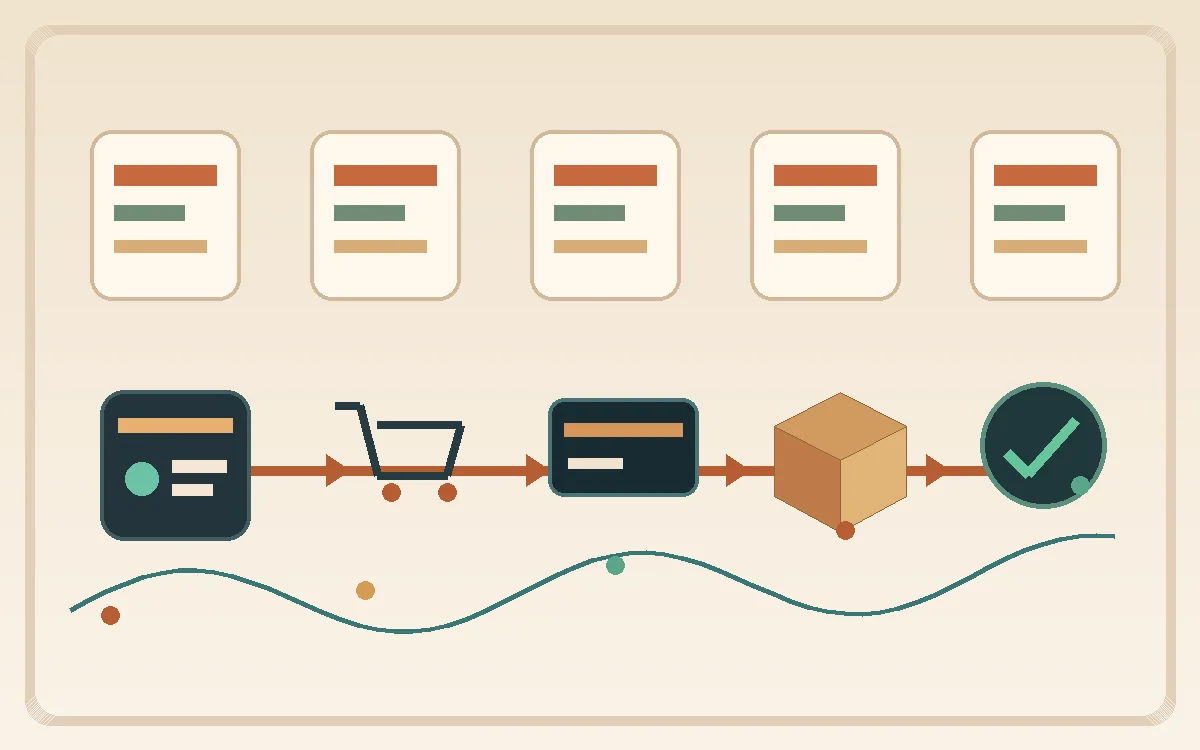
Ecommerce load testing is not about generating a pretty throughput chart before Black Friday and declaring victory. From a developer, DevOps, or SRE viewpoint, the job is to prove that the whole revenue path stays inside acceptable failure boundaries when real user behavior, dependency latency, cache churn, and traffic spikes all start interacting at the same time. The real question is not whether one endpoint answers quickly in isolation. It is whether browse, cart, checkout, payment, and post-order processing continue to work as a system under pressure.
That system-level view matters because ecommerce failures are rarely local. A slow search response increases retry behavior. A cache miss storm shifts load to origin services. A payment provider slowdown creates request fan-out and thread saturation. A promotion email or influencer mention produces bursty traffic that exposes lock contention in carts or inventory checks. The user only sees a broken storefront or a spinning checkout button, but under the hood the failure is usually a chain reaction across several layers.
This guide is written for engineers who have to own the outcome: backend developers, platform engineers, SREs, and DevOps teams. It focuses on how to design ecommerce load tests that answer operational questions, not just lab questions. It covers the workloads that matter, the metrics that actually drive release decisions, the common mistakes teams make, and why a repeatable workflow with LoadTester is often a better fit than ad hoc one-off scripts when revenue is on the line.
Why ecommerce load testing is different from generic website testing
Many teams start with a generic website test: hit the homepage, maybe a category page, then increase concurrency until latency rises. That can be useful, but it is only a small slice of ecommerce reality. Revenue risk lives in journeys, state transitions, and dependency chains. The traffic shape that hurts a storefront is not always the same traffic shape that hurts a content site or a simple API.
Ecommerce systems combine read-heavy and write-sensitive behavior. Browsing and search can create massive request volume, often partially shielded by caches and CDNs. Cart updates, inventory reservations, coupon validation, and payment authorization are much more stateful. They may involve database writes, third-party calls, fraud services, event streams, and asynchronous downstream processing. A test strategy that treats all of these as equivalent will miss the real bottlenecks.
There is also a sharp difference between business impact and technical simplicity. Search latency may annoy users, but checkout failure directly destroys revenue. Inventory drift may not be immediately visible on the page, but it creates order failures later. A test plan should prioritize the paths that are both technically fragile and commercially important.
For SRE teams this means the goal is not maximal realism in every detail. The goal is to create a layered workload model that reflects production risk well enough to support release decisions. That usually means a combination of storefront traffic, API traffic, dependency-aware journey tests, and threshold-based regression checks.
Critical user journeys every ecommerce team should test
The highest-value ecommerce tests map to business-critical journeys, not arbitrary endpoints. A strong program usually covers at least five classes of behavior.
The first is browse traffic: landing pages, category pages, search, product details, reviews, recommendations, and personalized content. These routes reveal cache behavior, CDN efficiency, backend fan-out, and read-side scaling. They also represent the largest percentage of total sessions, which makes them important for infrastructure sizing.
The second is add-to-cart behavior. Carts look simple but often hide concurrency problems around session state, promotion logic, pricing recalculation, and product availability. Under bursty traffic, cart updates can surface lock contention, hot-key behavior, or cache invalidation problems that do not appear during browsing.
The third is checkout. This is the obvious one, but many teams test it too shallowly. A meaningful checkout test includes shipping calculations, tax logic, coupon validation, inventory confirmation, auth flows where relevant, and payment initiation. If your test only posts a simplified order payload to one internal endpoint, it may miss the user-visible failure path entirely.
The fourth is payment and order completion. Third-party latency, retries, webhook handling, and idempotency become important here. Engineers should know what happens if payment authorization slows down, partial failures appear, or asynchronous callbacks arrive late or out of order.
The fifth is post-order side effects: order confirmation email, warehouse events, fraud scoring, loyalty points, and analytics emission. These are often asynchronous and easy to ignore, but they can still backpressure upstream systems or distort the customer experience if queues, workers, or downstream APIs are undersized.
Model an ecommerce mix that resembles shoppers, not a homepage benchmark
Percentages below are illustrative placeholders. Replace them with analytics or production logs so browse, search, cart, and checkout create realistic pressure on different systems.
| Stage | Example setup | Measure | Decision use |
|---|---|---|---|
| Browse | 45% of actions (example) | CDN/cache, catalog API, images | Separate cache hit and origin work |
| Search / filter | 25% | Search service, facets, DB/index | Track expensive query patterns |
| Cart | 20% | Session store, pricing, inventory | Preserve state and inventory reads |
| Checkout | 10% | Payments, tax, inventory, order DB | Use safe test data and idempotency |
How to model realistic ecommerce traffic without fooling yourself
The biggest trap in ecommerce load testing is mistaking synthetic neatness for operational truth. Real traffic is uneven. Bursts cluster around promotions, campaigns, or social mentions. User sessions are mixed. Some people browse for ten minutes. Others jump straight from ad click to product page to checkout. Some requests are cached. Others punch through to origin. Fraud checks and payment providers introduce variable latency. If your test is a flat loop of identical requests, you are mostly measuring your test harness.
A better approach is to model traffic in layers. Start with a baseline browse load that represents ongoing session activity. Add a smaller but stateful stream of cart mutations. Add a narrower but more sensitive checkout flow. If your business depends heavily on search, recommendations, or personalization, treat those as their own traffic classes instead of burying them inside a generic page mix.
Burst design matters too. Promotion-driven systems rarely fail because of smooth linear growth. They fail because of sudden concurrency shifts, cache cold starts, lock amplification, and downstream spikes. Your plan should include steady-state runs, step increases, short bursts, and endurance periods. Each shape reveals different problems. Step tests expose scaling delays. Bursts expose queueing and saturation. Longer runs expose leaks, retry storms, and worker exhaustion.
Use representative test data whenever possible. Product catalogs with unrealistic uniformity, tiny carts, or a narrow coupon set create false confidence. Real systems have hot products, skewed popularity, discount stacking edge cases, and uneven geo behavior. Perfection is not required, but obvious distortion should be avoided.
Most importantly, define what the test is supposed to answer before you run it. “Let us see what happens” is useful in early exploration. It is weak as a release criterion.
Metrics that matter for developers, DevOps, and SREs
Teams often drown themselves in dashboards during load tests. The right metric set is smaller and more opinionated than most people think.
Response-time percentiles matter more than averages because ecommerce pain is felt in the tail. p95 and p99 often show checkout distress long before averages look scary. Error rate is equally critical, but define it clearly. Include timeouts, 5xx responses, validation failures caused by overload, and meaningful third-party failures that make the journey unusable.
Throughput still matters, but only in context. Requests per second without route mix, cache context, or success quality can mislead. For checkout, successful orders per minute is often more meaningful than raw request volume.
Dependency health needs to be visible. Payment authorization latency, search backend saturation, database connection pool pressure, queue lag, cache hit rate, and inventory service performance all shape the user outcome. If you only watch the edge or only watch the application pod, you will miss causal explanations.
From an SRE standpoint, saturation signals are essential: CPU, memory, GC behavior where relevant, thread pools, worker concurrency, database locks, connection pools, queue depth, retry volume, and outbound request latency. Many ecommerce outages are not simple crash events. They are degraded-service events where retries and backpressure turn a slowdown into a systemic failure.
Finally, tie metrics to thresholds that correspond to business risk. Example: checkout p95 under 1 second at campaign load, payment initiation error rate below 0.5 percent, inventory confirmation success above 99.5 percent, and queue lag for order events below a fixed ceiling. Without explicit thresholds, a load test is just observation.
Where ecommerce systems actually fail under load
The obvious bottleneck is often not the first bottleneck. Engineers new to ecommerce sometimes expect the storefront web tier to be the problem. In practice, failures frequently originate in coupling points: shared caches, search clusters, database hot rows, inventory reservations, promotion engines, or payment/provider latency.
Search and discovery layers fail when popularity skews create uneven query pressure or recommendation engines trigger expensive fan-out. Cart systems fail when session-state design assumes modest concurrency and then meets a campaign spike. Checkout fails when too many synchronous validations are placed on the critical path. Inventory systems fail when reservation logic turns popular products into contention hotspots. Payment steps fail when provider slowness or retry policy causes upstream threads to pile up.
Another common class of failure is control-plane weakness. Autoscaling that reacts too slowly, deployment churn during peak windows, noisy neighbor effects in shared environments, and brittle feature-flag paths can all distort test outcomes or production reality. SRE teams should load test the system they actually operate, not an idealized diagram of it.
Do not ignore background systems either. Queue consumers, email workers, order export jobs, and fraud pipelines can lag badly during peak periods. The site may appear healthy for a while even as the post-order pipeline is quietly accumulating debt that later becomes a customer support problem. Good ecommerce load testing looks beyond the synchronous request that initiated the journey.
How to turn ecommerce load tests into release gates
The most mature teams stop treating peak-readiness testing as a seasonal event and start treating it as a recurring release discipline. That does not mean running a giant Black Friday simulation on every commit. It means building a small set of dependable checks that protect the highest-risk performance properties on a regular basis.
A useful release gate starts with a stable scenario set: browse baseline, cart mutation flow, and a checkout path that is operationally representative. Each scenario should have explicit thresholds and historical comparisons. The test should say not just whether it passed today, but whether today drifted materially from recent healthy runs.
Execution discipline matters. Run on consistent infrastructure. Warm appropriately. Keep dependencies and datasets stable enough that comparisons remain meaningful. Archive the exact environment details. A gate that is noisy will quickly lose credibility with developers.
The reporting format matters too. Release reviewers need to understand the outcome quickly: what was tested, against which build, under what load shape, which thresholds passed or failed, and how this compares with baseline. This is where a workflow tool like LoadTester is much stronger than an improvised script collection. It makes the output readable enough to use in real deployment decisions.
A good rule is to start small and harden over time. Begin with informational runs, then add soft warnings, then enforce hard blocks for the metrics that consistently predict user pain. That progression tends to succeed politically and technically.
Testing for Black Friday, launches, and promotion spikes
Peak-event testing deserves special treatment because the traffic pattern and business stakes are different. During a major sale, normal assumptions break. Popular SKUs create hot spots. Caches see uneven churn. Users retry aggressively. Monitoring noise increases. Operational mistakes become more expensive because rollback windows are tighter and customer patience is lower.
Do not wait for the annual event to discover that your promotion stack adds 250 ms to every cart update or that your payment retry policy doubles the downstream blast radius during provider slowness. Build event-style tests early enough to fix architecture and workflow issues, not just tune a few autoscaling thresholds.
For event readiness, include surge tests, cold-start or cold-cache conditions where relevant, provider degradation scenarios, and partial dependency failures. You may not fully simulate every external system, but you should know what happens when one of the sensitive components slows down or errors intermittently.
Operational drills are valuable too. How fast can the team interpret the results? Who can disable nonessential features? Which dashboards matter? Which thresholds justify rollback? A peak test is also a rehearsal for incident cognition.
Common mistakes teams make in ecommerce load testing
The first mistake is over-indexing on the homepage. It is easy to test and easy to show, but it is often the least revealing part of the revenue path.
The second is testing checkout as a simplified API call divorced from the real dependency chain. If the test bypasses shipping logic, promotion logic, or payment interactions, it may miss the most fragile part of the journey.
The third is ignoring asynchronous systems. Queue lag, order-processing delays, and webhook handling can become the true bottleneck even when the synchronous request still returns 200 OK.
The fourth is failing to distinguish between read scaling and write sensitivity. Browse traffic can often be shielded by caches. Cart and checkout cannot always be. Treat them as separate performance domains.
The fifth is running huge peak tests but no recurring regression tests. Teams then discover in November that a regression introduced in June quietly reduced headroom. Continuous validation is what preserves readiness.
The sixth is missing business context. Engineers should know which journeys matter most to revenue, customer trust, and support burden. Not every metric deserves the same weight.
What ecommerce teams need from load testing tooling
Ecommerce organizations usually need more than a traffic generator. They need a disciplined workflow that supports recurring checks, comparisons across releases, and quick interpretation under pressure. Tooling options include managed platforms like LoadTester, script-first tools like k6 or Locust paired with a scheduler, and JMeter with a CI harness. What matters is that whichever tool you pick supports repeatability and decision support rather than isolated script execution.
For developers, that means scenarios can remain concrete and useful without every report becoming a manual investigation. For DevOps, it means CI/CD-friendly thresholds and more stable release signals. For SREs, it means clearer historical context and a better path from test result to operational decision.
That combination matters most when the business cannot afford ambiguity. If your team is protecting checkout reliability, promotion readiness, and production headroom, the value is not merely that a test ran. The value is that the organization can trust what the test means.
Final thoughts
Ecommerce load testing is really reliability engineering for revenue paths. The hardest part is not sending traffic. It is choosing the right journeys, modeling realistic risk, and turning the results into actions the team can trust.
If you frame the work that way, the right tooling choice becomes clearer. Scripted one-offs are still useful for exploration. But for recurring release confidence, developer teams, DevOps teams, and SRE teams usually need a workflow with baselines, thresholds, readable comparisons, and shareable results. That is where LoadTester becomes the more practical operating model.
Capacity planning versus release regression in ecommerce
Ecommerce teams often mix two different goals and end up doing neither well. Capacity planning asks how much load the platform can absorb during events, seasonal peaks, or growth milestones. Release regression asks whether the newest build made the platform materially worse. Both are important, but they require different workloads, different thresholds, and different decision loops.
Capacity planning tends to be broader and more exploratory. You may ramp aggressively, test upper bounds, and look for breakpoints. Release-oriented ecommerce testing should be narrower and more repeatable. It protects the current delivery cadence by ensuring the team is not slowly eating into its peak headroom through ordinary releases.
From an SRE point of view, the two disciplines should reinforce each other. Large event tests establish the rough envelope. Smaller recurring regression tests preserve that envelope between major test windows. If you only do the big annual or quarterly event simulation, you can still drift into trouble through many small changes. If you only do tiny recurring tests, you may miss scale-dependent failure modes. Mature ecommerce organizations need both.
Operational readiness checklist for an ecommerce load test
Before a meaningful run, confirm the basics that separate a trustworthy exercise from theater. Are the dependencies representative? Is the catalog or product set realistic enough to produce skew and hot keys? Are synthetic payment or provider stubs behaving close enough to reality? Are queue consumers enabled and observable? Are dashboards and alerts prepared before the run starts, not after trouble appears?
Also confirm who is responsible for interpreting the result. A load test without named owners often ends in a vague conclusion such as “looks mostly okay.” Better is a checklist tied to decisions: checkout threshold owner, search owner, database owner, payment/dependency owner, and release approver. This may sound bureaucratic, but during peak-readiness work it dramatically shortens the path from data to action.
Finally, decide what counts as success before the test starts. If the criteria are invented after the graphs appear, teams tend to rationalize borderline results. Predeclared thresholds are not just for automation. They are for human honesty.
What makes this ecommerce load testing page earn its own search intent
The page now treats ecommerce as a mixed transactional workload and clearly separates full-journey intent from checkout-specific intent.
Reviewed by Kristian Razum, founder & principal engineer at LoadTester. Technical claims are framed as test-design guidance; no benchmark numbers are invented on this page.
FAQ
What should I load test first on an ecommerce platform?
Start with the revenue-critical journeys: browse/search, add to cart, checkout, payment initiation, and the key asynchronous post-order flows. Those paths expose the highest mix of user pain and business risk.
Are homepage tests enough for ecommerce readiness?
No. They are useful but incomplete. Homepage tests mostly reflect delivery and cache behavior, while revenue risk usually lives in stateful flows such as carts, inventory checks, promotions, and payment.
How often should ecommerce teams run load tests?
Run lighter regression-oriented checks regularly in CI/CD or on release cadence, and run broader event-style tests before major campaigns, launches, or seasonal peaks.
Why use LoadTester instead of ad hoc scripts for ecommerce testing?
Because recurring ecommerce validation depends on thresholds, comparisons, readable reports, and repeatable execution. Those workflow features matter when the results need to guide real release decisions.