
LoadTester vs JMeter: where the cost actually lives
JMeter is one of the most capable load testing tools ever built. It has broad protocol support, deep scripting options, and a long ecosystem of plugins. The reason teams move off it usually is not capability — it is the cost of operating it as a repeatable team workflow. This page explains how LoadTester is different from JMeter, what LoadTester does better, and the cases where JMeter is still the right call.
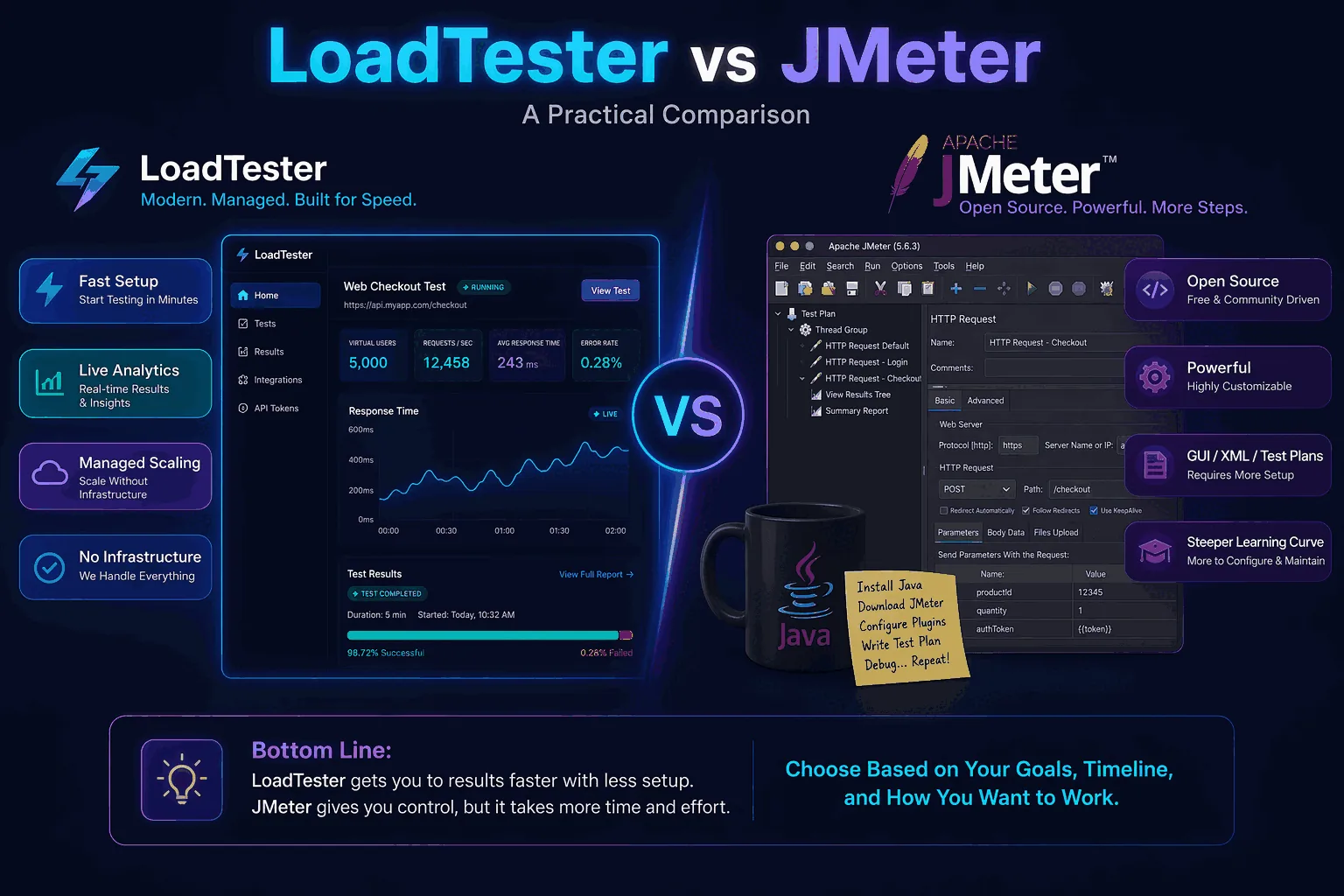
Quick verdict
Use JMeter when you need a general-purpose, scriptable performance testing workbench: non-HTTP protocols, arbitrary Groovy/JSR223 logic, custom plugins, full local execution, or strict on-prem control. Use LoadTester when the test is mainly HTTP/API traffic and the expensive part is no longer generating requests, but making performance checks repeatable for a team: saved scenarios, managed workers, run history, thresholds, CI gates, and shareable results.
| Decision question | Better fit | Why |
|---|---|---|
| Do you need JDBC, JMS, LDAP, FTP, SMTP, TCP, or custom protocol testing? | JMeter | JMeter is a broader protocol workbench; LoadTester is intentionally focused on HTTP and APIs. |
| Do QA, product, support, or non-specialist engineers need to rerun tests? | LoadTester | The test definition, thresholds, history, and result page are available in the product UI. |
| Do you want tests stored as code and reviewed only through Git? | JMeter | A .jmx file can live in a repo, even if XML diffs are not pleasant. |
| Do you want release checks without maintaining workers, reports, or result parsing? | LoadTester | The platform handles execution, storage, pass/fail thresholds, and comparison views. |
| Do you already have a stable JMeter estate with people who maintain it well? | Usually JMeter | There is no reason to migrate working, well-owned tests just to change tools. |
Why LoadTester is different from JMeter
JMeter and LoadTester are not just two interfaces for the same job. They are optimized around different operating models.
JMeter is a test construction workbench. You assemble a test plan from thread groups, samplers, timers, assertions, controllers, listeners, configuration elements, and optional plugins. That model is extremely flexible, which is why JMeter can cover many protocols and unusual workflows. The trade-off is that the team has to own the surrounding system: how tests are written, reviewed, executed headlessly, distributed across machines, stored, compared, and explained to stakeholders.
LoadTester is a managed HTTP/API load testing workflow. It does not try to replace every JMeter feature. Instead, it focuses on the part most product teams repeat every week: run a realistic HTTP/API scenario, enforce latency and error thresholds, keep the result, compare it to a baseline, and make the outcome understandable outside the performance engineering team.
| Dimension | JMeter | LoadTester |
|---|---|---|
| Primary mental model | Desktop-authored test plan executed by a runner | Saved HTTP/API scenario executed by a managed platform |
| Best user | Performance engineer or QA engineer comfortable with JMeter internals | Engineering, QA, DevOps, and product teams that need repeatable checks |
| Flexibility | Very high; arbitrary scripting and many protocol samplers | Focused; common HTTP/API flows, assertions, thresholds, scheduling, CI, and reporting |
| Operational ownership | Your team owns runners, plugins, reports, storage, and comparison workflow | LoadTester owns execution, history, links, comparisons, and platform updates |
| Output of a run | JTL/HTML/reporting pipeline you configure | Permanent run page with pass/fail, charts, thresholds, and comparison context |
How this comparison was evaluated
This comparison uses a simple HTTP checkout workload because that is where most teams first evaluate a JMeter alternative: one POST endpoint, request headers, a JSON body, 200 virtual users, a ramp-up period, a short steady-state duration, and a p95 latency threshold. The comparison intentionally separates load generation from operational workflow. For a basic HTTP endpoint, both tools can generate useful load. The practical difference is what happens before and after the run: authoring, CI wiring, distributed execution, reporting, historical comparison, and who on the team can interpret the result.
The anatomy of a JMeter test
This is what a minimal HTTP load test looks like in JMeter — a fragment of the .jmx XML file that defines a 200-thread checkout test:
<ThreadGroup guiclass="ThreadGroupGui" enabled="true">
  <stringProp name="ThreadGroup.num_threads">200</stringProp>
  <stringProp name="ThreadGroup.ramp_time">30</stringProp>
  <stringProp name="ThreadGroup.duration">60</stringProp>
  <boolProp name="ThreadGroup.scheduler">true</boolProp>
  <hashTree>
    <HTTPSamplerProxy guiclass="HttpTestSampleGui">
      <stringProp name="HTTPSampler.domain">staging.example.com</stringProp>
      <stringProp name="HTTPSampler.path">/api/checkout</stringProp>
      <stringProp name="HTTPSampler.method">POST</stringProp>
      <elementProp name="HTTPsampler.Arguments">
        <collectionProp name="Arguments.arguments">
          <elementProp name="" elementType="HTTPArgument">
            <stringProp name="Argument.value">{"sku":"TEST-1"}</stringProp>
            <stringProp name="Argument.metadata">=</stringProp>
          </elementProp>
        </collectionProp>
      </elementProp>
    </HTTPSamplerProxy>
    <ConstantThroughputTimer>
      <stringProp name="throughput">12000.0</stringProp>
    </ConstantThroughputTimer>
  </hashTree>
</ThreadGroup>
You normally don't write that XML by hand. You build it in the JMeter desktop GUI and save it. The XML is the artifact you check into Git, the artifact that diffs unreadably when someone rearranges a test plan, and the artifact you debug when CI fails because a sub-element moved.
The same test in LoadTester is a UI form with five fields plus a threshold. There is no XML to maintain, no GUI/CLI mode mismatch, no plugins to align across machines.
Where the operational cost lives
Setting aside debates about which tool is "more powerful," here is where teams actually spend time on JMeter that LoadTester removes:
| Cost category | JMeter | LoadTester |
|---|---|---|
| Test plan format | XML (.jmx), authored via desktop GUI, diffs poorly | Stored test definition, edited via UI or API |
| Distributed execution | Master/slave setup over RMI; you provision and run the worker JVMs | Cloud workers auto-scale per run |
| Plugin management | Plugins Manager + manual JAR alignment across all worker nodes | None — features are in the platform |
| Result storage | JTL files written to disk; you build the dashboard | Permanent run page with comparisons and shareable links |
| JVM tuning | Heap size, GC choice, file descriptor limits, OS network tuning per worker | Managed |
| Headless CI use | jmeter -n -t plan.jmx -l results.jtl + custom JTL parsing for pass/fail | Single API call returns pass/fail |
| Cold start | ~30–60s for JVM + plan load on each runner | <3s |
Each row is solvable in JMeter. None of them is impossible. The question is whether your team wants to keep solving them every quarter.
Same workload, both tools
Worth saying plainly up front: against the same staging endpoint, both tools produce comparable load and similar latency measurements. JMeter is mature, well-tested code that has been generating HTTP load reliably for two decades. The interesting differences aren't in raw throughput — they're in everything around the run.
| Workflow stage | JMeter 5.x | LoadTester v2.14 |
|---|---|---|
| Setup time, first test | Install Java + JMeter, build plan in GUI, save jmx, configure listeners | Sign up, fill the form, click Run |
| Editing an existing test | Open desktop GUI, navigate the tree, save jmx, commit XML diff | Open the test, change the field, save |
| Sharing the result with a PM | Export PDF report, generate HTML dashboard, or screenshot a listener | Send the run link |
| Comparing today's run to last week's | Open two dashboards side by side; build the diff yourself | Built-in run comparison view |
| Distributed execution | Master/slave RMI setup; provision and align worker JVMs yourself | Managed cloud workers, auto-scaled per run |
| CI integration | jmeter -n -t plan.jmx, parse JTL for pass/fail | Single API call returns pass/fail |
| Cold start per run | ~30–60 seconds (JVM + plan load) | Under 3 seconds |
None of these gaps are fatal in isolation — JMeter teams solve every one of them with effort and discipline. The question is whether that effort is the work you want to be doing every quarter.
When LoadTester is not the right option
This section matters for trust. There are workloads where choosing LoadTester over JMeter would be the wrong recommendation:
- Non-HTTP protocols. JMeter ships with samplers for JDBC, JMS, FTP, LDAP, SMTP/POP3, TCP, MongoDB, and more. LoadTester is HTTP and API focused. If you're load testing a database directly or a JMS queue, JMeter is the answer.
- Highly customized correlation. JMeter's BeanShell and JSR223 (Groovy) scriptable elements let you do almost arbitrary preprocessing of requests and responses. LoadTester handles most common correlation patterns but not arbitrary code.
- You already have a working JMeter setup with internal expertise. If a team owns 200 jmx files and runs them reliably, the migration cost will exceed the operational cost for at least a year. The right move there is usually to keep JMeter for what's working and use LoadTester for new tests.
- Air-gapped or strict on-prem environments. JMeter runs anywhere a JVM runs. LoadTester is a managed cloud service.
- Open source budget constraints at very large scale. JMeter is free; LoadTester has a price tag above the free tier. For multi-million-RPS continuous testing on owned hardware, JMeter still wins on direct cost.
Signs your team has outgrown JMeter
From conversations with teams who switched, the pattern is consistent:
- The test plans run, but only one or two engineers are willing to edit them.
- "Can you run a quick load test?" gets answered with "I'll get to it next week" because nobody wants to open the desktop app.
- The CI integration was built once, broke after a JMeter upgrade, and was never fully fixed.
- Test results live as JTL files in S3 that nobody opens after the run.
- Distributed execution was set up and then quietly abandoned because the master/slave RMI setup is fragile.
If three of those describe your situation, the operational cost is exceeding the value. Either invest in fixing the practice (a real, full-time effort) or consider a managed alternative.
A practical hybrid
Most teams that switch don't actually delete JMeter. The pattern that works:
- Keep the existing jmx files for any test that's stable, runs well, and has institutional context.
- Build all new tests in LoadTester from day one. New release gates, new endpoint smoke tests, new scheduled baselines.
- Migrate JMeter tests opportunistically — when a jmx file needs significant rework anyway, port it to LoadTester instead of editing it.
This avoids the all-or-nothing decision and converts the cost gradually. After 6–12 months most teams find their JMeter footprint has shrunk to a handful of specialized tests (database, JMS, etc.) where it's genuinely the right tool.
Questions teams ask
Is LoadTester a complete JMeter replacement?
No. LoadTester replaces JMeter well for repeatable HTTP/API workflows, release gates, regression checks, scheduled baselines, and team-visible reporting. It is not a complete replacement for JMeter's non-HTTP protocols, custom plugins, arbitrary Groovy scripting, or fully local execution model.
Can LoadTester import jmx files?
Not directly. The model is different enough that auto-conversion produces low-quality results. The recommended path is to recreate the test in LoadTester's UI — for most HTTP-only plans this takes a few minutes per test.
Does JMeter have features LoadTester doesn't?
Yes — non-HTTP protocols (JDBC, JMS, FTP, LDAP), BeanShell/Groovy preprocessors, and a much larger plugin ecosystem. The trade-off is operational cost.
What's the realistic migration timeline?
For a team with under 20 active jmx files, plan on 4–8 weeks for full migration including setting up CI gates and team onboarding. For a hybrid approach as above, the new-tests-only step takes one afternoon.