
WebSocket Load Testing Guide
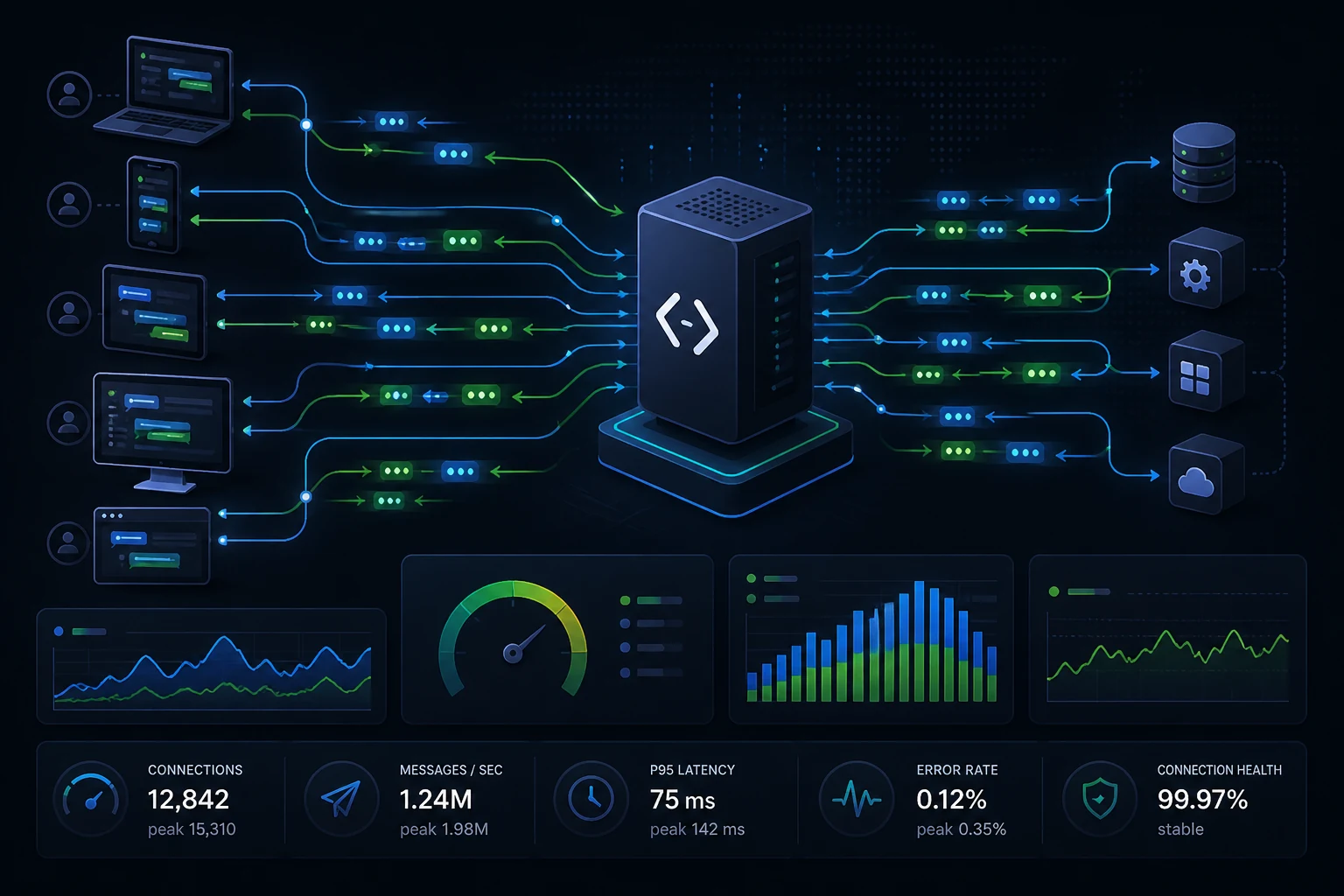
WebSocket load testing is the discipline of validating how a real-time system behaves when large numbers of clients stay connected and exchange messages continuously. It is part performance engineering, part systems thinking, and part operational risk management. If your product depends on live updates, chat, collaboration, streaming dashboards, market feeds, or event-driven interfaces, this is one of the most useful tests you can run.
The best WebSocket tests model connection count, connection lifetime, message rate, and message fan-out at the same time. Measure active connections, publish-to-deliver latency, disconnect rate, and infrastructure pressure. Avoid treating a socket workload like a simple request-response benchmark.
What to measure
- Active and successful connections
- Publish-to-deliver p95 and p99 latency
- Messages in and out per second
- Disconnects, reconnects, and backpressure
What usually breaks first
- Auth or session services during reconnect storms
- Pub/sub layers during fan-out spikes
- Memory and event loop health at high concurrency
- Queue depth and slow-consumer behavior
This guide is written from the perspective of API and infrastructure teams that need repeatable evidence before traffic grows. In practice, the most useful WebSocket tests are rarely the ones with the highest synthetic message rate. They are the ones that expose operational failure modes: slow reconnect recovery, memory growth per connection, pub/sub fan-out pressure, queue buildup, and p95/p99 delivery latency moving before the system fully fails.
For that reason, this article treats WebSocket load testing as an engineering workflow, not only a tooling problem. The examples below focus on what teams can measure, reproduce, and discuss during release or capacity planning.
Why WebSocket load testing is different from normal API testing
At a glance, WebSocket load testing sounds like normal API testing with a different protocol. In practice, it is a different performance problem. A classic HTTP test is usually request-response: the client connects, sends a request, receives a response, and the transaction ends. A WebSocket system behaves more like a long-lived conversation. Connections stay open, messages move in both directions, and the expensive part is often not the initial handshake but the cost of keeping thousands of sessions alive while traffic patterns change over time.
That changes what a good test looks like. A request-per-second number on its own is not enough. You need to know how many concurrent sockets the system can sustain, how often clients reconnect, how message fan-out behaves during spikes, and how latency changes as the number of connected users grows. In other words, the connection itself becomes a first-class workload dimension.
This is one reason teams often underestimate real-time systems. An endpoint may look healthy in a normal API benchmark and still fail the moment thousands of persistent clients subscribe to updates, compete for limited worker capacity, or trigger high-frequency broadcasts. If you are new to the broader discipline, the LoadTester guide to load testing is a good starting point. If you want to understand the product and how the site approaches practical performance workflows, visit the LoadTester homepage.
Start with real user behavior, not a synthetic message storm
The fastest way to get misleading WebSocket numbers is to build an unrealistic script. Many teams create a neat-looking test that opens a socket, sends a message every few milliseconds, and then declares victory or disaster based on what happens. Real users rarely behave like that. Some connect and mostly listen. Some send small bursts. Some reconnect after network interruptions. Some go idle for minutes and then suddenly trigger a business event. Production behavior is almost always mixed.
Good WebSocket load testing starts with a traffic model. Identify the main client groups: dashboard viewers, mobile users, collaborative users, agents in an internal tool, IoT devices, trading terminals, or whatever applies to your product. Then define the percentage of clients in each group, how long they stay connected, how often they send messages, and what kind of messages they receive.
This sounds obvious, but it is what separates useful engineering evidence from vanity graphs. A realistic model lets you answer practical questions: can the system handle a normal working day, can it absorb a spike after a push notification, and what breaks first during a reconnect storm after a regional network issue?
The four workload dimensions you must model
A strong WebSocket test usually models four things at the same time: connection count, connection lifetime, message rate, and message shape. Connection count tells you how many concurrent sessions the platform is expected to hold. Connection lifetime tells you whether those sessions are short-lived or effectively persistent. Message rate tells you how often messages are sent or received. Message shape tells you whether the payloads are tiny presence updates, medium-sized JSON events, or larger state sync messages.
These variables interact. Ten thousand idle sockets are a different engineering problem from ten thousand active sockets. A hundred messages per second composed of short control events is not the same as a hundred messages per second carrying large structured payloads. A system may survive each variable in isolation and still fail when several are combined.
When I review real-time test plans, this is the first thing I look for: did the team separate these dimensions clearly enough to understand what they are measuring? If not, the final report tends to say only that the system was 'fine until it wasn't,' which is not actionable.
Connection lifecycle matters more than many teams expect
A socket workload is not just 'open connection, send message, receive message.' There is a lifecycle: DNS and TLS setup, the HTTP upgrade handshake, authentication, subscription or room-join behavior, steady-state message flow, heartbeats or ping-pong frames, and finally orderly or disorderly disconnects. Each stage can become a bottleneck.
Authentication is a common example. On paper, the socket server may be able to keep 50,000 connections alive. In practice, the auth service, token validation step, or session store may become the limiting factor during a mass reconnect event. The WebSocket service looks guilty, but the real issue sits one layer deeper.
This is why a connection ramp should not be treated as a mere warm-up. It is a test dimension in its own right. Try a slow ramp, a fast ramp, and at least one reconnect-heavy scenario. If your production environment serves mobile users or unstable networks, reconnect behavior is not an edge case. It is part of the main workload.
Design scenarios around use cases, not around the protocol
The protocol is WebSocket, but the workload should be built around business behavior. A collaborative editor, a sports scoreboard, a trading terminal, a multiplayer game lobby, and a support dashboard all use persistent connections for different reasons. Their performance risks are different too.
For example, a collaboration product may be dominated by many small upstream edits and selective downstream broadcasts. A market data feed may involve high-frequency downstream messages with comparatively little upstream traffic. A support dashboard may have long periods of low activity punctuated by bursts when many events are routed to online agents. If you test only generic send/receive behavior, you will miss the thing that actually drives infrastructure cost.
A useful pattern is to define three scenarios: everyday traffic, peak traffic, and pathological traffic. Everyday traffic proves the system is efficient in the state where it spends most of its time. Peak traffic validates known busy moments. Pathological traffic explores failure modes, such as reconnect storms, fan-out spikes, or a noisy segment of clients that publishes too aggressively.
Metrics that matter for WebSocket load testing
Classic metrics still matter: error rate, throughput, resource usage, and latency. But WebSocket systems need a slightly richer scoreboard. Track active connections, successful connection establishment rate, reconnect rate, messages sent per second, messages received per second, publish-to-deliver latency, delivery success rate, dropped connections, and backpressure indicators such as queue growth or event loop delay.
Latency deserves special care. For real-time systems, the most meaningful latency is often not request duration but end-to-end message latency: how long it takes for an event created by one client or backend service to reach the intended recipients. Evaluate this with percentiles, especially p95 and p99. If you need a refresher on why tail latency matters, see p95 vs p99 latency.
You should also watch the supporting infrastructure: CPU, memory, file descriptors, network bandwidth, load balancer connection behavior, broker lag if a message queue is involved, cache hit rate if subscriptions use cached state, and database pressure if user presence or room membership lookups happen frequently. A WebSocket outage is often caused by the ecosystem around the socket server, not the server process alone.
| Metric | Why it matters | What to watch for |
|---|---|---|
| Active connections | Shows concurrency headroom | Flat ceiling, failed upgrades, sudden disconnects |
| Publish-to-deliver latency | Reflects real user experience | p95/p99 growth under fan-out or queueing |
| Reconnect rate | Reveals instability and mobile/network sensitivity | Thundering herds after partial outages |
| Memory per connection | Controls scaling efficiency | Linear growth that becomes nonlinear near limits |
Common bottlenecks in real-time systems
In real projects, a few bottleneck patterns show up repeatedly. One is insufficient horizontal coordination. A single node looks fine, but once you scale out, broadcasts depend on a pub/sub layer that becomes the real bottleneck. Another is uneven room distribution, where one 'hot' channel or tenant attracts an outsized share of traffic and causes localized pain even when average node utilization looks normal.
Another pattern is memory pressure. Persistent connections consume per-client state, buffers, timers, and heartbeat bookkeeping. When connection counts rise, memory can climb long before CPU becomes the visible problem. Garbage-collection pauses, event loop jitter, and delayed sends follow soon after. The symptom users see is random lag or disconnects. The root cause is often capacity planning that focused only on CPU.
The third pattern is backpressure blindness. Messages queue faster than they can be delivered, but the application has no good visibility into queue depth or send buffer health. By the time the issue becomes visible in client latency, the service is already overloaded. WebSocket tests should be designed to reveal this early, especially in fan-out scenarios where one input event becomes thousands of outgoing messages.
A practical test design workflow
If you need a repeatable workflow, I recommend the same structure I use for broader performance work. First, write down the business questions. Are you validating maximum concurrent connections, acceptable message delay during peaks, behavior during reconnect storms, or the cost of supporting one very active tenant? Without a question, the test becomes a demo.
Second, build a lightweight baseline scenario. This should represent normal traffic with realistic data volume. It gives you a stable reference point for future changes. Third, add one peak scenario and one failure-oriented scenario. Peak proves headroom. Failure-oriented testing tells you how the system degrades and which control points matter.
Fourth, set thresholds before you run the test. Examples include connection success rate above 99.5%, publish-to-deliver p95 under a defined target, reconnect recovery within a fixed time, and no uncontrolled memory growth. Fifth, run the test in an environment that is as production-like as possible. The earlier load testing strategy is agreed, the more useful these numbers become.
Run one scenario that is intentionally boring. A stable baseline is what makes later regressions obvious. Teams often skip this and end up comparing every future run to a different kind of peak test.
Example message-flow script
You do not need a massive harness to get started. What matters is that the script reflects the connection lifecycle and the message mix. A minimal scenario often looks like this:
// Pseudocode for a WebSocket user flow
connect()
authenticate(token)
subscribe(['room:pricing', 'room:alerts'])
wait(random(5, 20) seconds)
send({ type: 'presence:update' })
wait(random(1, 5) seconds)
expect(receive('pricing:update'))
expect(receive('alert'))
optionallyReconnect(2% probability)
disconnect()
The key detail is not the syntax. It is the behavior. The flow includes connection setup, an authenticated session, subscriptions, a mostly listen-heavy steady state, a low-frequency upstream event, expectations about downstream delivery, and a small reconnect probability. Even a simple model like this is usually more valuable than a script that hammers one message in a tight loop.
Load testing WebSockets in CI/CD
Not every WebSocket test belongs in every pipeline. Real-time workloads can be expensive, and full-scale socket simulations are usually not suited to every pull request. A layered approach works better. In pull requests, run a lightweight smoke test that validates handshake success, basic subscription flow, and a tiny volume of publish-to-deliver traffic. On a daily schedule, run a broader baseline scenario. Before major launches or expected events, run the heavier capacity and reconnect scenarios.
This matches the same principle behind load testing in CI/CD and continuous load testing: use small, repeatable checks for regression detection and reserve the expensive tests for the moments when they are most informative.
The practical benefit is cultural as much as technical. Performance stops being a one-off project and becomes a regular engineering signal. Teams notice that a change doubled memory per connection, slowed subscription delivery, or increased reconnect failure rate before the problem reaches production.
WebSocket load testing mistakes to avoid
The first mistake is measuring only the handshake. The connection may establish quickly while the system still performs badly once thousands of steady-state clients are active. The second mistake is using unrealistically tiny payloads. Small messages can hide serialization, bandwidth, or buffer issues that appear in real traffic.
The third mistake is ignoring downstream fan-out. If one inbound event is broadcast to many recipients, you need to measure delivery behavior under that multiplied load. The fourth mistake is treating reconnect storms as rare. For mobile and consumer apps, reconnect behavior is often a central reliability concern, not a corner case.
The fifth mistake is looking only at averages. In real-time systems, a small percentage of delayed messages can create a very bad user experience. The sixth mistake is testing the socket layer without the real dependencies behind it. If authentication, a pub/sub broker, a cache, or a presence store matters in production, the test should include or faithfully model it.
How to choose a tool for WebSocket load testing
The right tool depends on what you need to learn. If you have a strong engineering team and want fine-grained control, a scriptable tool may be enough. If you need repeatability, easier reporting, and team-friendly workflows, a managed approach can reduce operational overhead. The bigger question is not whether a tool says 'WebSocket' on the box. It is whether it lets you model long-lived connections, mixed traffic, threshold-based analysis, and repeatable comparisons over time.
That is the same lens we recommend in the HTTP load testing tool checklist. Support for the transport is only the starting point. The workflow around scenario design, repeatability, and interpretation is what usually determines whether teams actually learn something from the test.
If your architecture mixes REST APIs and real-time services, do not evaluate those channels in isolation forever. Often the most realistic performance story combines both: HTTP handles login and data fetches while WebSockets handle live updates. A healthy testing program covers both worlds.
A practical WebSocket load testing checklist
Before trusting a result, confirm that the test includes the main user types, realistic connection durations, authentic authentication and subscription flows, representative payload sizes, and at least one scenario with reconnect pressure. Confirm that you are measuring active connections, connection success rate, publish-to-deliver latency, message throughput, disconnect rate, and resource usage. Confirm that downstream dependencies are observed, not guessed.
Also confirm that you understand the failure mode. Did the server reject new connections? Did latency rise because of queueing? Did a pub/sub layer saturate? Did memory grow until garbage collection caused visible jitter? A good load test does not only tell you whether the system passed. It tells you why it behaved the way it did.
That is the essence of EEAT in technical content too: practical experience, clear reasoning, and advice that a team can actually use the next time they need to validate a real-time system under pressure.
Final thoughts
WebSocket load testing is less about generating traffic and more about representing reality. Persistent connections, bursty messaging, fan-out, and reconnect behavior create a performance profile that is fundamentally different from short-lived request-response workloads. Teams that model those dynamics well usually find issues earlier and make better scaling decisions.
The best outcome is not a pretty chart. It is clarity: how many concurrent users you can support, what normal latency looks like, what failure mode appears first, and what operational guardrails you need before traffic grows. If you can answer those questions with confidence, the test did its job.
WebSocket test plan template
Use this as a practical starting point before running a WebSocket load test. Copy it into your issue tracker, release checklist, or performance test plan and fill in the values that match your product.
| Item | What to define | Example |
|---|---|---|
| Connection target | Expected concurrent sockets | 5,000 active clients |
| Ramp pattern | How quickly clients connect | 500 new connections per minute |
| Session duration | How long clients stay connected | 20–30 minutes average |
| Message mix | Read/listen vs publish/send ratio | 90% listen, 10% send |
| Fan-out behavior | How many clients receive each event | 1 sender → 1,000 subscribers |
| Reconnect scenario | How many clients reconnect at once | 20% reconnect within 60 seconds |
| Pass threshold | What result is acceptable | p95 delivery latency < 500 ms, error rate < 1% |
The most important part is the pass threshold. Without it, the test can generate impressive graphs but still fail to answer the release question. Decide the acceptable p95 latency, disconnect rate, reconnect recovery time, and error rate before the run starts.
Example WebSocket test report summary
A useful report should be short enough that engineering, product, and infrastructure teams can all understand it. Here is a simple structure:
Scenario: peak-hour WebSocket traffic
Target: 5,000 concurrent clients
Ramp: 20 minutes
Message model: 90% downstream updates, 10% client publish events
Result: passed with warnings

Key findings:
- Connection success rate stayed above 99.7%
- Publish-to-deliver p95 reached 420 ms at peak
- p99 latency exceeded 1.2s during reconnect burst
- Memory grew linearly until 4,500 clients, then GC pauses increased
- Pub/sub broker queue depth was the earliest warning signal

Recommended next step:
Increase broker capacity or reduce fan-out pressure before scaling beyond 5,000 clients.
This kind of summary is more useful than a raw chart dump. It connects the test setup, result, bottleneck, and next engineering decision.
Frequently asked questions
What is the main metric in WebSocket load testing?
There is no single magic metric, but active connections and publish-to-deliver latency are usually the two most important. You also need connection success rate, disconnect rate, message throughput, and infrastructure metrics such as memory, CPU, and network usage to interpret the result correctly.
How is WebSocket load testing different from API load testing?
API load testing usually focuses on request-response latency and throughput. WebSocket load testing adds long-lived connections, bidirectional messaging, fan-out, reconnect behavior, and backpressure. That means the connection lifecycle and steady-state behavior matter as much as the initial handshake.
Should WebSocket load testing be part of CI/CD?
Yes, but in layers. Small smoke checks can run on pull requests, while broader baseline and capacity scenarios are better suited to scheduled jobs or pre-release environments. The goal is to catch regressions regularly without turning every pipeline into a full-scale load event.
These are the official docs, specs, or operational references most relevant to this topic.