
Load Testing Strategy
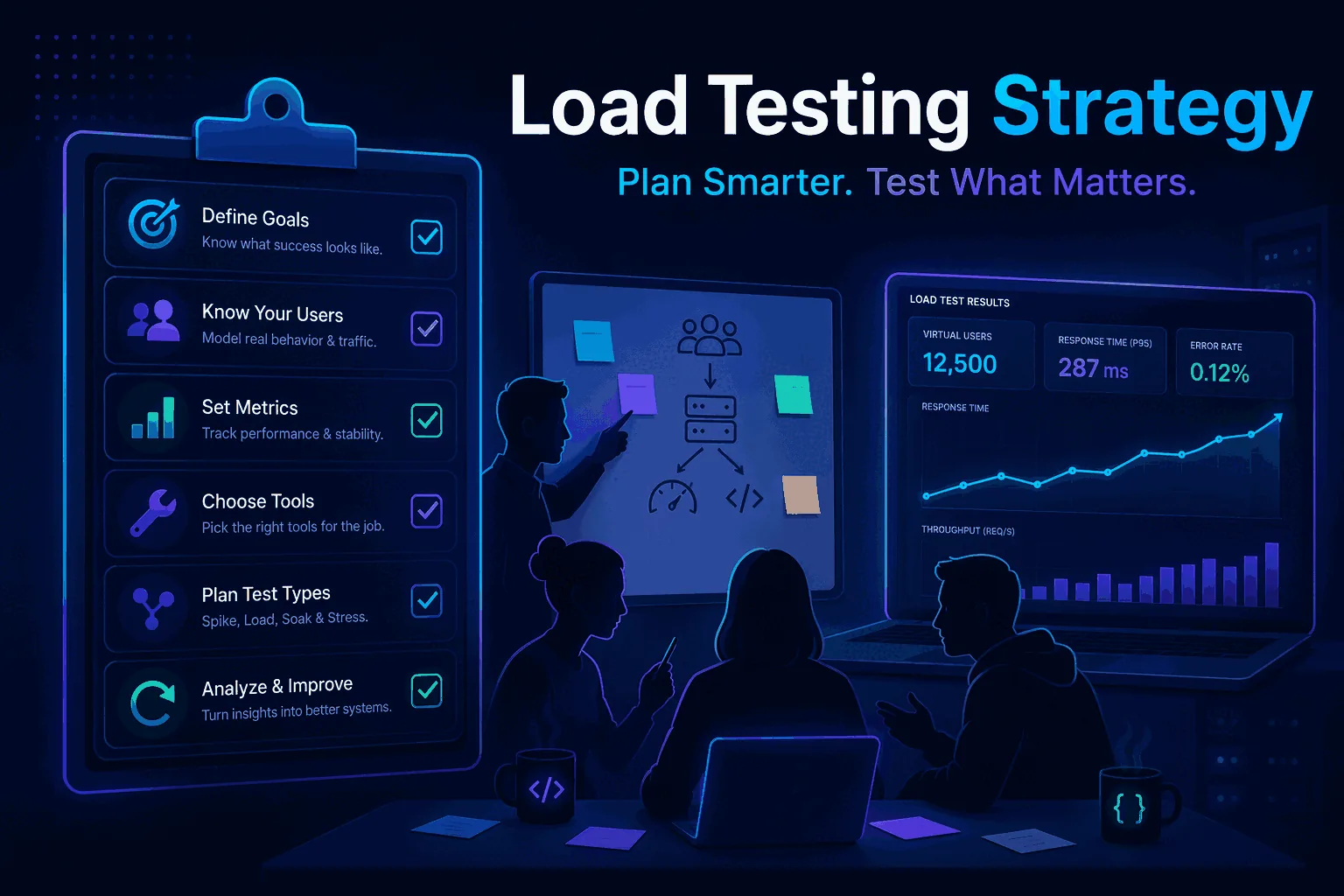
If you search for load testing strategy or load testing plan, you will usually find one of two things: abstract enterprise advice that never gets concrete, or narrow tool tutorials that jump straight into commands without explaining the bigger system around them. Both miss the point. A good strategy is not a document you write once to satisfy a process requirement, and it is not a one-off benchmark you run the night before a release. It is the operating model for how your team decides what to test, when to test it, how to interpret the results, and how to act on them before production traffic teaches you the lesson more painfully.
That is why load testing is important. Performance failures usually do not begin as dramatic outages. They begin as slow degradation, rising p95 latency, a queue that never fully drains, a database that looks fine until concurrency rises, or a release that passes functional QA but becomes unstable the moment real traffic arrives. Teams that do not have a strategy tend to discover these problems too late. Teams that do have a strategy catch them earlier because they already agreed on the workloads that matter, the thresholds that matter, and the moments in the delivery cycle where testing is not optional.
This guide is designed to help you build that system from scratch. It covers the benefits of load testing, how to design a practical plan, how to choose between virtual users and requests per second, how to define thresholds and rollback criteria, how to test APIs and web apps differently, and how to turn all of this into a repeatable workflow. If you need the conceptual foundation first, start with What Is Load Testing?. If your immediate focus is HTTP or REST endpoints, pair this page with How to Load Test an API. And if you want to keep performance checks running over time instead of only before launches, continue with Continuous Load Testing.
Why a load testing strategy matters
A lot of teams technically do load testing, but they do not have a strategy. They might run a spike test before a big campaign, or ask one engineer to point a script at an endpoint when something feels suspicious, or benchmark a single service after a migration. Those individual tests can still be useful, but without a strategy they remain isolated activities. Nobody knows which endpoints are considered critical, what success looks like, how often results should be compared, which thresholds are release-blocking, or who owns follow-up work when the numbers get worse.
A strategy closes those gaps. It answers questions such as:
- Which user journeys and endpoints are important enough to test repeatedly?
- What traffic shape is realistic for each of them?
- Which metrics represent user pain versus harmless noise?
- What environments are acceptable for which types of tests?
- What is the minimum acceptable performance for release candidates?
- How do we compare this run against the previous baseline?
- Who is paged or notified when performance regresses?
- What changes in the pipeline if a test fails?
Once those answers exist, performance work stops being ad hoc. Instead of reacting emotionally to charts, the team can react systematically. That alone is one of the biggest benefits of load testing: it moves performance conversations from opinions to evidence.
Why load testing is important for the business, not just engineering
It is easy to frame load testing as a technical discipline, but that framing is incomplete. Performance affects revenue, retention, support burden, infrastructure cost, and trust. A slow checkout API reduces conversion. A flaky login endpoint increases support tickets. A dashboard that times out during morning peaks makes enterprise customers question reliability. A backend that falls over after a marketing campaign turns a growth event into a failure event.
That is why the business case belongs inside the strategy. The best load testing plans are not generic lists of endpoints. They are tied to real user journeys and real business risk. The team knows which actions generate revenue, which APIs back those actions, what traffic they expect during normal periods, and what margin of safety they want before launches or promotions. When that business context is present, testing becomes much easier to prioritize because it is no longer “some engineering extra.” It is part of protecting the product.
This is also where many smaller teams gain an advantage. You do not need a giant performance engineering department to build a smart strategy. You need clarity. A small team that knows its core flows, its likely traffic spikes, and its acceptance criteria will usually outperform a larger team that keeps testing vague.
The difference between a load testing plan and a one-off benchmark
A benchmark answers a narrow question, usually in isolation: how fast is this endpoint under one chosen condition? A load testing plan is broader. It decides which conditions matter, why they matter, how often they should be tested, how the results will be interpreted, and what action follows from each outcome.
Here is a simple way to distinguish them. A benchmark might say, “The endpoint handled 500 requests per second with p95 latency of 320 ms.” A plan says, “We run this test after every release candidate, compare it against the previous successful baseline, fail the pipeline if p95 rises above 400 ms or error rate exceeds 1 percent, and run a deeper soak test every weekend.” The first number is interesting. The second system is useful.
That distinction matters because most teams do not suffer from a total lack of numbers. They suffer from a lack of repeatable decision-making. A strong strategy fixes that by defining the loops around testing, not just the test itself.
Start with the decision you need to make
Before you design scenarios or pick a tool, decide what decision the test is supposed to support. This is the most overlooked step in strategy work. Teams often start at the wrong end. They ask, “How many virtual users should we use?” before they ask, “What are we trying to learn?”
Good strategy questions sound like this:
- Can this release candidate go live without hurting checkout performance?
- Can our API handle the expected launch traffic with enough margin?
- Did the new caching layer actually improve throughput?
- Did the database migration make search slower under concurrency?
- Can we keep error rates below one percent during normal daily peaks?
- Which service fails first when load increases?
When the question is specific, everything downstream becomes easier. You can choose a target, a traffic model, a time window, thresholds, and a comparison baseline that fit the actual decision. When the question is vague, the test becomes vague too.
Inventory the user flows and endpoints that deserve protection
Your strategy should include an inventory of critical flows. For APIs, that usually means the routes that sit behind sign-up, login, search, checkout, billing, webhook delivery, reporting, or whatever actions are most central to your product. For web apps, it may also include the HTML entry points or page-level flows that create the highest user and business impact.
The point is not to test everything equally. It is to decide what deserves routine protection. If an endpoint is rarely called and failure is low impact, it should not get the same testing budget as a payments flow or public API used by customers. A good plan forces prioritization.
One practical framework is to score each flow by four factors: business criticality, traffic volume, dependency complexity, and historical instability. The highest-scoring items become the first class citizens of your strategy. Those are the endpoints you baseline, compare, schedule, and enforce thresholds on. The lower-scoring items can still be tested, but usually less frequently.
Choose realistic workload models instead of random numbers
Once you know what to test, you need to decide how traffic should look. This is where many weak strategies fail. They pick round numbers that feel impressive rather than workloads that reflect reality. The result is noisy or misleading output.
Start from actual usage data when possible. Look at analytics, request logs, known peaks, deployment windows, batch jobs, and campaign calendars. Then translate those into a few simple workload categories:
- Baseline load: what the system should handle comfortably on an ordinary day.
- Peak load: what it should handle during expected busy periods.
- Spike load: what happens when traffic jumps suddenly.
- Sustained load: what happens over a longer period when resources accumulate pressure.
This is also where you choose between virtual users and requests per second. If you want to simulate user-like concurrency and pacing, virtual users are often the better model. If you care about raw request rate or want precise control over HTTP pressure, requests per second are often clearer. Many strong strategies use both, because each reveals different bottlenecks. We go deeper on that in the dedicated guide to continuous load testing, where workload choice affects how practical automation becomes.
Pick the right environment for each type of test
Not every test belongs in the same place. Your strategy should explicitly separate the types of load testing you run in local development, shared staging, pre-production, and production-like environments. That reduces accidental risk and keeps expectations realistic.
For example, quick smoke checks after a build might run against a smaller staging environment with modest traffic. Release validation might run in pre-production with infrastructure close to production. Periodic checks against production may be acceptable for low-impact synthetic load, but only when you understand the safety limits and coordination requirements. The strategy should state these boundaries clearly so engineers are not making them up every time.
Environment choice also affects interpretation. A staging run on tiny hardware may still be useful for comparisons over time, but it may not predict absolute production capacity. A good strategy teaches the team which tests are for relative change detection and which tests are for capacity validation.
Design scenarios for APIs and web apps that resemble real behavior
A useful scenario is not just “send lots of requests.” It is a simplified model of how real traffic reaches your system. For APIs, that may mean different mixes of GET and POST requests, authenticated and unauthenticated paths, different payload sizes, or different endpoint ratios. For web applications, it may mean combining page loads with API calls, asset delivery, or user journeys such as sign-up followed by onboarding steps.
Your load testing plan should define a small set of standard scenarios. For many teams, three to five scenarios is enough:
- A release smoke test for the most critical endpoint.
- A peak-load test for the highest-value user journey.
- A spike test for sudden concurrency increases.
- A sustained test for resource buildup, queues, or memory pressure.
- A comparison test profile used repeatedly to detect regressions.
That last one matters a lot. If you only run custom shapes every time, comparison becomes messy. Strategy works better when at least part of the workload stays stable so runs can be evaluated against a real baseline.
Define thresholds, budgets, and rollback criteria before you run the test
One of the best benefits of load testing is that it lets teams agree on acceptable performance before emotions enter the conversation. But that only happens when thresholds exist in advance. If you wait until the chart looks ugly and then debate whether 700 ms p95 is “fine,” you are not using strategy. You are improvising.
At minimum, define expectations for:
- p95 latency, because averages often hide tail pain.
- Error rate, including what counts as acceptable transient noise.
- Throughput, especially if the business question is about capacity.
- Abort conditions, for situations where a test is damaging or clearly failed.
- Rollback criteria, for release-related tests.
These thresholds do not need to be perfect on day one. They need to exist. You can refine them as the team gains more data. The important part is that everyone knows how a result maps to action. Tools like LoadTester help because they allow threshold-based failure conditions, auto-stop behavior, saved test definitions, and side-by-side comparison of runs rather than manual interpretation every time.
Plan for data, authentication, and downstream dependencies
Most performance issues do not come from the HTTP client itself. They come from the system behind it: database contention, caches warming and evicting, queues backing up, token refresh behavior, third-party API variability, slow storage, or shared staging environments. That is why a serious load testing strategy must include how test data and dependencies are handled.
Ask questions like these:
- Will each request use static test data, or do we need realistic variation?
- How are auth tokens generated and rotated?
- Do downstream services need stubbing, or do we want end-to-end realism?
- Are there rate limits, WAF rules, or circuit breakers that affect the scenario?
- How will we keep the test from corrupting or exhausting shared data?
This is especially important for API teams. A plan that ignores auth and data shape is usually too artificial to be trusted. That is one reason we recommend pairing strategy work with a practical implementation guide such as How to Load Test an API, where headers, tokens, thresholds, and traffic shapes become concrete.
Use more than one test type in the strategy
A complete strategy normally combines several kinds of performance checks rather than relying on a single canonical test. The simplest way to think about it is to use different tests for different questions:
Baseline and peak tests
Good for validating normal and expected high traffic, especially for release decisions and capacity confidence.
Spike tests
Good for learning how the system behaves when demand jumps suddenly and queues or autoscaling react imperfectly.
Soak tests
Good for memory leaks, connection pooling issues, slow accumulation problems, and long-lived worker behavior.
Regression tests
Good for repeated comparison after code, infra, or dependency changes, especially when automated in CI or on a schedule.
Even if your team starts small, having these categories in the strategy helps everyone understand that one chart will never answer every performance question. Different questions require different test shapes.
How to analyze results without fooling yourself
Strategy is not complete until it explains how results are read. Otherwise the team still risks drawing the wrong conclusion from perfectly good data. First, always look beyond averages. Average latency is useful, but p95 and error rate often tell the more relevant story. Second, compare against a baseline whenever possible. Third, consider whether the environment and load shape match the decision you are trying to make. And fourth, look for bottleneck clues instead of only judging pass or fail.
For example, a run with stable throughput but rising p95 may indicate queueing or a tail-latency dependency problem. A run with flat latency but sudden error spikes may indicate hard capacity limits, rate limiting, or infrastructure instability. A run that looks better than last week may still be bad if the traffic shape changed. Strategy exists to keep this interpretation disciplined.
This is why comparison features matter so much. If your team can select two historical runs and instantly see how average latency, p95, throughput, error rate, and request volume changed, the analysis loop becomes much faster and less subjective.
Turn the strategy into a calendar, not a slide deck
A strategy only matters if it changes what the team actually does. The easiest way to make that happen is to put cadence into the plan. Decide which tests run on every release candidate, which ones run nightly, which ones run weekly, and which ones are triggered by specific changes such as a database migration, caching change, or major product launch.
A simple cadence for many SaaS teams looks like this:
- Every pull request or deployment candidate: short smoke test on one critical endpoint.
- Every day: scheduled baseline test for top APIs or core user journeys.
- Every week: deeper peak-load comparison test.
- Before launches or campaigns: spike and sustained-load tests with production-like assumptions.
This is the bridge between strategy and continuous load testing. Once the plan is attached to time, performance checking becomes a habit rather than a promise.
Give the strategy owners, not just readers
One of the most common reasons load testing plans fail is that they belong to nobody. The document exists, but there is no owner for scenario maintenance, threshold review, regression triage, or schedule upkeep. The result is predictable: the plan gets stale, tests drift away from reality, and confidence drops.
You do not need a big team to avoid this. You need explicit ownership. One engineer might own the checkout scenario, another the public API baseline, another the weekly report of regressions. Product and engineering leads should also know what the release-blocking thresholds are for critical flows. Ownership turns the plan from documentation into a working system.
Common mistakes that make load testing strategies weak
Most bad strategies fail in repeatable ways. They test easy endpoints instead of important ones. They pick fake workload numbers with no connection to reality. They focus on averages and ignore p95. They run tests once and never compare them again. They use staging results as if they were production guarantees. They treat scripts as a substitute for process. Or they let strategy become so enterprise and theoretical that nobody follows it.
The fix is usually simplification, not complication. Pick fewer critical flows. Define a smaller number of standard scenarios. Use clear thresholds. Put key tests on a calendar. Compare runs. Automate the ones that matter most. A practical strategy that survives contact with the team is better than a perfect strategy nobody uses.
A sample load testing plan for a modern SaaS team
To make this concrete, imagine a SaaS product with a public API, login flow, search endpoint, and billing checkout. A sensible plan might look like this:
- Critical flows: login, search, checkout, public API list endpoint.
- Daily scheduled tests: login and public API baseline checks at moderate load.
- Release candidate tests: search and checkout comparison runs against previous stable baseline.
- Weekly tests: sustained load on search, spike test on checkout, capacity test on public API.
- Thresholds: p95 under 400 ms for login, under 650 ms for checkout, error rate under 1 percent for all critical flows.
- Owners: platform engineer for public API, product engineer for checkout, search engineer for search scenario.
- Automation: pipeline smoke tests plus Slack notifications for regressions.
That is enough to create real discipline without overwhelming a small team. It is also the kind of workflow that fits naturally in LoadTester because you can save test definitions, schedule recurring runs, compare results, set thresholds, and push alerts into the tools the team already uses.
Where a managed platform fits this kind of strategy
Many teams do not need another scripting project. They need a platform that makes the strategy easy to execute. Tools like LoadTester are built around the pieces strategy work needs most: saved HTTP test definitions, support for virtual users and request-rate testing, thresholds and auto-stop conditions, recurring schedules, run history, side-by-side comparison, regression awareness, exports, and API access for CI/CD.
Why this matters because the hard part of performance work is rarely “can we generate requests.” It is “can we keep doing this consistently with enough visibility that the whole team trusts the process.” A good strategy plus the right platform is what makes that possible.
The benefits of load testing when the strategy is working
People often talk about the benefits of load testing in generic terms, but it is helpful to make them concrete. When a strategy is working, load testing shortens incident timelines because the team already knows the normal shape of performance. It reduces release stress because there is a clear go or no-go rule for critical flows. It improves planning because infrastructure decisions are based on evidence rather than optimism. It also increases trust across engineering, product, and leadership because everyone can see that performance is being managed intentionally instead of reactively.
There are softer but still important benefits too. Engineers spend less time arguing about anecdotes and more time reasoning from repeatable runs. New team members ramp faster because scenarios and thresholds already exist. Product stakeholders become more realistic about launch risk because the team can describe capacity and uncertainty more clearly. In other words, a good strategy improves not just the system but the quality of decisions around the system.
How to communicate the strategy to product, leadership, and customers
One reason many load testing plans never stick is that they are written as purely technical artifacts. The engineering team may understand them, but product and leadership do not know how to consume them, so the plan never becomes part of release governance. A better approach is to create two views of the strategy: a technical operating view for engineers and a concise decision view for stakeholders.
The technical view should contain the details: scenarios, environments, traffic shapes, thresholds, owners, cadence, and run history. The stakeholder view should answer simpler questions: which flows are protected, what the release-blocking thresholds are, what changed since the last review, where the known limits are, and whether current capacity assumptions still hold. When those two views stay aligned, performance stops being mysterious.
This matters even for customer-facing work. If you operate a public API or a product used by enterprise buyers, a mature strategy helps you answer hard questions confidently. You can talk about tested flows, release validation, and recurring checks without exaggeration. That kind of operational clarity is part of the product.
How tool choice should follow the strategy, not define it
It is tempting to reverse the order and let tool choice define the strategy. Teams buy or adopt a tool first, then shape their testing habits around whatever the tool makes easiest. That approach can work for a while, but it usually creates blind spots. A better sequence is to define the plan first: what needs to be protected, which traffic models matter, how results should be compared, how frequently tests run, which thresholds are meaningful, and what stakeholders need to see. Then evaluate whether the tool supports that operating model.
Once you have a strategy, tool selection gets sharper. Generic questions ("does it support APIs?", "can it generate load?") give way to operational ones: can it keep tests organized per project; can it compare historical runs without exporting JSON to a spreadsheet; can it pass/fail a run on p95 or error rate; can it expose an API for CI/CD; can it notify the team on regression. The strategy generates the requirements; the tool either has them or doesn't.
That requirement set is why managed platforms — LoadTester, Grafana Cloud k6, Gatling Enterprise, BlazeMeter — exist as a category. The value isn't the request generator; that's commodity. The value is the loop around it: scheduling, comparison, history, alerts, threshold enforcement, shared access. You can build all of it on top of an OSS tool. The question is whether you want to.
A simple maturity model for load testing strategy
If you want an easy way to assess where your team is today, use a four-level maturity model.
- Level 1: ad hoc — tests happen occasionally, with no stable scenarios or thresholds.
- Level 2: defined — the team has a few documented scenarios and known critical flows.
- Level 3: repeatable — baselines, comparisons, and recurring cadence exist, even if only for the most important flows.
- Level 4: operational — performance checks are part of release decisions, regressions are visible quickly, and ownership is explicit.
Most teams do not need to race to Level 4 immediately. They just need to move out of Level 1. A realistic target for the next quarter is often Level 3: a few critical scenarios, stable thresholds, scheduled runs, and historical comparison. That alone creates a massive increase in confidence.
Questions this guide should help you resolve
What decision should this guide help you make?
It should help you change how the team plans, runs, or reviews load tests, not just memorize terminology.
What mistake shows up most often?
Teams jump straight to tooling or traffic volume before they agree on realistic scenarios, thresholds, and what a passing release decision should actually look like.
What should you read next after this?
Move from the concept to an execution page such as strategy, API testing, or CI/CD integration so the guidance turns into a repeatable workflow.