
Tail Latency and Why It Dominates at Scale
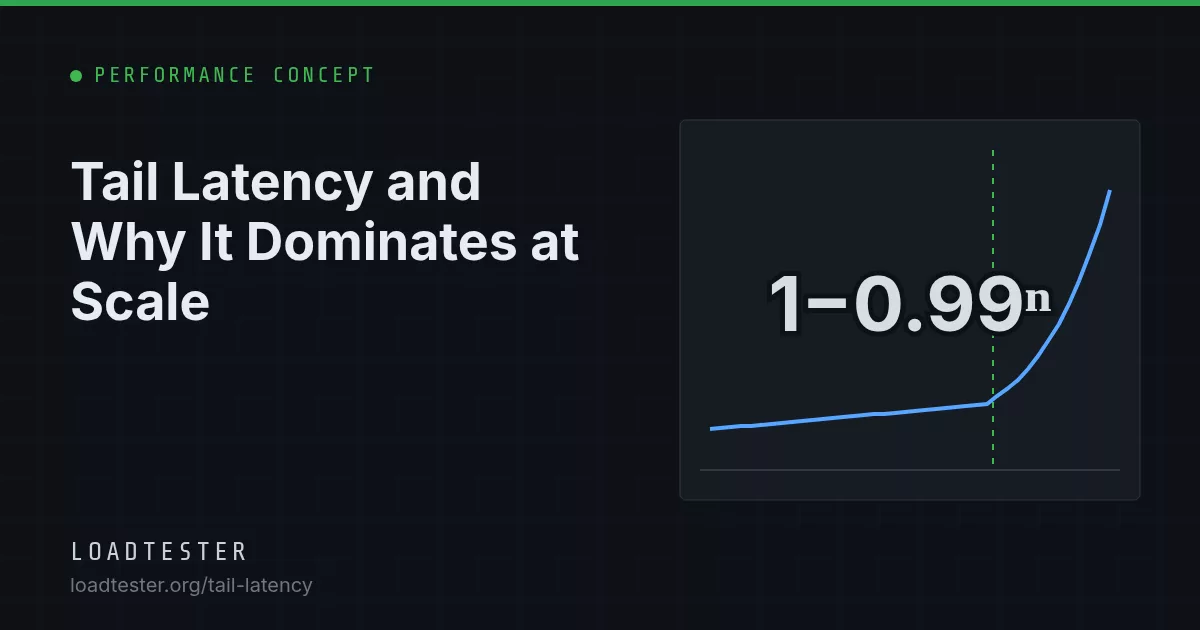
Tail latency is the latency of the slowest small fraction of requests, usually p99 and above. It matters more as systems grow because a request that fans out to N backends is only as fast as the slowest one: if each backend is slow 1% of the time, a request touching 100 of them is slow with probability 1 − 0.99100 ≈ 63%. That amplification, described by Jeffrey Dean and Luiz André Barroso in "The Tail at Scale" (Communications of the ACM, 2013), is why rare per-server hiccups become a common user experience.
The fan-out math
Suppose a user request calls N backends in parallel and must wait for all of them. Each backend independently responds slowly with probability p. The user request is fast only if every call is fast:
P(user request is slow) = 1 − (1 − p)^Np = 0.01 means "slower than its own p99". The table shows how quickly that becomes the normal case.
| Fan-out N | p = 5% (beyond p95) | p = 1% (beyond p99) | p = 0.1% (beyond p99.9) |
|---|---|---|---|
| 1 | 5.0% | 1.0% | 0.1% |
| 2 | 9.8% | 2.0% | 0.2% |
| 5 | 22.6% | 4.9% | 0.5% |
| 10 | 40.1% | 9.6% | 1.0% |
| 20 | 64.2% | 18.2% | 2.0% |
| 30 | 78.5% | 26.0% | 3.0% |
| 50 | 92.3% | 39.5% | 4.9% |
| 100 | 99.4% | 63.4% | 9.5% |
Read the 100 row: when every leaf server has a perfectly respectable p99, the parent request's median experience includes at least one slow leaf. The leaf p99 has become the parent's typical latency.
Working backward: what each dependency needs
If you want 99% of parent requests to avoid every slow leaf, each leaf must be slow less often than 1 − 0.991/N:
| Fan-out N | Max per-call slow fraction | Percentile each leaf must meet |
|---|---|---|
| 1 | 1% | p99 |
| 10 | 0.1% | p99.9 |
| 50 | 0.02% | p99.98 |
| 100 | 0.01% | p99.99 |
This is why services deep in a call graph need tighter latency objectives than the user-facing edge. It also applies to sequential calls and to a browser loading a page: 40 requests per page view, each slow 1% of the time, means about a third of page views include at least one slow request. The model assumes independence. Real slowness is often correlated (a GC pause slows many requests on one host at once), which can make things better or worse, but the direction holds. For what p95 and p99 mean on their own, see p95 vs p99 latency.
Worked example: a dashboard endpoint
Illustrative numbers. A GET /dashboard handler calls 12 internal services in parallel: billing, usage, alerts, team, and so on. Each service, measured on its own in a load test, has p50 = 15 ms, p99 = 120 ms and p99.9 = 600 ms. The handler adds 20 ms of its own work.
- Probability at least one call exceeds its p99: 1 − 0.9912 ≈ 11.4%. So the dashboard's p90 is already close to 120 ms + 20 ms = 140 ms, not the 35 ms its median suggests.
- Probability at least one call exceeds its p99.9: 1 − 0.99912 ≈ 1.2%. So the dashboard's p99 lands near 600 ms + 20 ms = 620 ms.
Every dependency team can truthfully say "our p99 is 120 ms", while users see a dashboard whose p99 is five times that. The fix is rarely in the handler. It is in the dependencies' p99.9, in hedging the two or three calls that most often hit their tail, or in rendering the dashboard progressively so one slow panel does not block the page. A load test that only reports per-service numbers will never show this; test the composite endpoint and compare.
What "The Tail at Scale" says
Dean and Barroso's article in Communications of the ACM (February 2013) argues that in large online services you cannot eliminate every source of latency variability, so you have to build systems that are "tail-tolerant", in the same way fault-tolerant systems work with unreliable parts. The main points:
- Variability is inevitable. They list sources such as shared resources between applications on the same machine, background daemons, global resource sharing (network switches, shared file systems), maintenance work like log compaction and garbage collection, queueing at multiple layers, and hardware effects such as power and thermal throttling.
- Fan-out amplifies it. Their example: a server that usually responds in 10 ms but has a p99 of one second, used with a fan-out of 100, makes 63% of user requests take more than one second.
- Within-request techniques react in milliseconds. Hedged requests send a second copy to another replica if the first has not answered within a short delay; deferring the hedge until the first request exceeds the 95th-percentile expected latency limits extra load to roughly 5%. In one Google benchmark reading 1,000 keys from Bigtable across 100 servers, hedging after 10 ms cut the 99.9th-percentile latency from 1,800 ms to 74 ms while sending only about 2% more requests. Tied requests enqueue on two servers that each cancel the other once one starts work.
- Cross-request techniques act over seconds or minutes: micro-partitions (many small partitions per machine for finer-grained rebalancing), selective replication of hot items, and putting slow machines on probation while still sending them shadow requests to detect recovery.
- Application-level options: returning "good enough" results when a small fraction of leaves are late, and canary requests that hit one or two leaves before fanning out, so a request that crashes servers does not take down all of them.
The paper is short and readable. Its figures come from Google's systems; treat them as evidence the techniques work, not as numbers your system will reproduce.
Common causes of tail latency in ordinary stacks
Most teams do not run 100-way fan-out search, but the same mechanisms show up at smaller scale:
| Cause | Typical signature | Where to look |
|---|---|---|
| Garbage collection pauses | Periodic p99 spikes on one instance at a time | GC logs, pause-time metrics |
| CPU throttling from container limits | Added delays of up to about 100 ms (the default CFS period) during bursts | cgroup nr_throttled, throttled_time |
| Queueing near saturation | p99 rises much faster than p50 as load climbs | Utilization, queue depth, latency under load |
| Pool exhaustion | Bimodal latency: fast or roughly the pool timeout | connection pool wait time |
| TCP retransmits | Outliers near 200 ms or more (Linux minimum RTO is 200 ms) | nstat / netstat -s retransmit counters |
| Cache misses and cold keys | Slow requests cluster on specific IDs | Per-key latency, hit ratio |
| Lock contention | Slow requests cluster on writes to the same rows | DB lock waits, slow query log |
| Noisy neighbors and background jobs | Tail worsens on a schedule (backups, compaction, cron) | Correlate spike timestamps with job schedules |
Timeouts, retries and hedging in practice
Timeouts are the first line of defense, and also a source of amplification if set carelessly.
- Set timeouts from the dependency's tail, not its average. A timeout just above the dependency's p99.9 cuts off pathological requests without failing normal slow ones. A timeout at its p95 fails 5% of calls by design.
- Propagate deadlines. If the edge gives a request 2 s, a downstream call that starts at 1.8 s should get 200 ms, not its own default 5 s. gRPC deadlines and similar mechanisms do this.
- Retries are hedges without the delay control. A retry after a timeout adds load exactly when the system is slow. Three retries at each of three layers can turn one request into 27 under failure. The retry amplification calculator does this math, and retry storm under load covers the failure mode.
- Hedge only idempotent reads, cap the hedge rate (for example, at most 5% extra requests), and stop hedging when the backend is overloaded. Hedging a saturated service makes the tail worse.
How to load test for tail behavior
Tail problems are easy to miss in a load test because they need many samples and realistic load patterns to appear.
- Collect enough samples. To trust a p99.9 you want around 100,000 requests in the steady window. At 500 RPS that is just over 3 minutes; at 50 RPS, over half an hour. See how long a load test should run.
- Use an open (arrival-rate) workload. A closed-loop generator stops sending while the server stalls and under-reports exactly the slow periods you are looking for. This is coordinated omission.
- Test the fan-out endpoints directly. Pick the user-facing calls with the most downstream dependencies (dashboards, search, checkout) and compare their p99 with the p99 of the leaf services under the same load.
- Read time series, not just the summary. A p99 line that spikes every 60 seconds points to a periodic cause. Line up spikes with GC, cron, autoscaling and deploy events.
- Look at max and p99.9 alongside p99. A max far above p99.9 means rare but severe stalls. Users who hit them notice.
- Run at realistic utilization. Tail latency grows sharply as utilization approaches saturation (see throughput vs latency). Testing at 30% utilization hides problems that appear at 70%.
In LoadTester, live charts show p50, p95 and p99 together over time, and RPS mode keeps the arrival rate fixed while the server slows down, so a growing p95 to p99 gap is visible as it happens rather than averaged away.
Tail latency checklist
- Map the fan-out of your slowest user-facing requests and compute 1 − (1 − p)N for each.
- Set per-dependency latency objectives at the percentile the fan-out requires, not the same p99 everywhere.
- Set timeouts just above each dependency's p99.9 and propagate deadlines.
- Bound retries and consider delayed hedging for idempotent reads only.
- Load test with an arrival-rate model, enough samples for the percentile you report, and time-series review of p99 and max.
- Correlate tail spikes with GC, throttling, pool waits and scheduled jobs before tuning anything.
FAQ
What is considered tail latency?
Usually the p99 and above, sometimes p95 for lower-traffic services. It describes the slowest 1% or fewer of requests. At scale these rare requests matter because users and parent services make many calls, so most of them eventually hit the tail.
Why is p99 more important in microservices than in a monolith?
A user request in a microservice architecture often depends on many downstream calls, and it is only as fast as the slowest one. With 20 parallel calls each slow 1% of the time, about 18% of user requests include a slow call. A monolith with in-process calls has less of this amplification.
Do hedged requests double the load on my servers?
Not if you delay the hedge. Dean and Barroso suggest sending the second request only after the first has been outstanding longer than the 95th-percentile expected latency, which limits extra load to about 5%. Hedge only idempotent requests and disable hedging when the backend is overloaded.
Is tail latency the same as high average latency?
No. A service can have a low average and a terrible p99, for example if 1% of requests hit a GC pause or a pool timeout. Averages hide this because the many fast requests dilute the few slow ones. Track percentiles and max separately.
How can a load test reveal tail latency problems?
Use an arrival-rate workload so the generator keeps sending during stalls, collect enough samples for the percentile you care about, and review p99 and max as time series. Test the endpoints with the most downstream calls and run at realistic utilization, since queueing makes the tail grow sharply near saturation.